Category: WordPress

  • Installing Vagrant, Virtual Box, VVV, & VV On Mac

    Installing Vagrant, Virtual Box, VVV, & VV On Mac

    I’ve been using Vagrant with VirtualBox for local development for over a year now, after introduction to the tools on top of Varying Vagrant Vagrants at a WordCamp. It’s become my default standard for starting new WordPress sites, and it’s more highly accessible than I realized at the time that I first tried it, though it can also be a bit of a black box from the outside.

    Throughout the post I’m going to cover a quick install guide (though by no means exhaustive), and borrow heavily from a guide that I put together and am keeping updated on my Github page. I also discussed this at a developer meetup for WordPress Orlando last month, which you can check out if you want to give ServerPress or MAMP a try too.

    Note, I’m coming at this from a Mac, which used to drive me bananas in guides, so apologies if you’re on Windows.

    Installing Virtual Box, Vagrant, VVV, and VV

    First, let’s talk about what we’re setting up here. The outcome of this post should give you a local development environment for WordPress sites that you can start and expand upon rapidly, making it easier to build new sites for yourself or your clients. We’re going to start by downloading and installing VirtualBox, which is by far the largest part of this project. I use Virtual Box because it is free and accessible for a wide variety of platforms, but VVV supports Parallels, Hyper-V, VMWare Fusion, and VMWare Workstation as well.

    After you’ve downloaded and installed VirtualBox, you’ll want to ensure that you have Vagrant installed. This can be installed a wide variety of ways, but the most straightforward is going to the official download page and installing the version that matches your computer. After Vagrant is installed you should be able to open Terminal and type the command vagrant and see a list of flags that you can use.

    You’ll also need Git for some of this, so if you don’t have it, download here and install it.

    Vagrant installed on Terminal

    Next, you’re going to install vagrant-hostupdater with the command vagrant plugin install vagrant-hostsupdater, then install vagrant-triggers by typing vagrant plugin install vagrant-triggers into Terminal too. These tools will allow Vagrant to automatically set hosts for you, which are a pain in the butt on your own, and allow triggers to run, which lets other programs (say VV?) attach their own events to Vagrant.

    Up next, install Varying Vagrant Vagrants, which is thankfully shortened to VVV. You can do this in Terminal too, using the command git clone git://github.com/Varying-Vagrant-Vagrants/VVV.git vagrant-local. You’re going to move into that directory by typing cd vagrant-local, since vagrant-local is the name of the folder that you made and put it into when you cloned it to your computer.

    The next portion of this is really long. Like, don’t do this at a coffeeshop or via a mobile data plan long. Probably should give fair warning that setting up VVV is a long process on slow internet. Let’s assume that you are on fast internet or have plenty of time to kill. Thankfully you can run this in the background and go along your day, provided heavy YouTube viewing is not part of your downtime. Run the command vagrant up, which is a command that you’ll be getting used to over time. The first time that you run the command it will have to download a whole box for Virtual Box, basically meaning you’re downloading and installing a new operating system that will run alongside your existing one.

    When VVV is installed, you should be able to visit vvv.dev in your browser and see it in all of it’s glory!

    Default VVV page
    In the next post, we’ll make this page show useful information and look pretty.

    Look, at this point you probably need a coffee or something. Relax, you’re doing great, and treat yourself to that caffeinated goodness.

    Site Creation with VV

    To make site creation even easier, we’re going to use Brad Parbs‘ cool tool Variable VVV, or VV for short. There are a few methods to install this, and while I use HomeBrew which makes it rather easy, in the event that you don’t, check out his install instructions here: https://github.com/bradp/vv/#installation.

    With VV installed you can use the command vv --create to install new WordPress sites to a single VVV install with ease. I’m going to save the discussion on how to do that for the next post, since it can cover quite a bit.

    Next Time on the Show!

    I’m going to go through some enhancements in my next post on this topic, like using a custom VVV dashboard, how to get value out of VV, how I make VVV a bit easier to use, and some of the testing that I’ve done around squeezing performance out of VVV and making it load faster.

    I hope that if you’ve stuck around for the journey you were able to successfully get going, or at least will give it a shot. If you’re having any trouble, please leave a comment and I’ll try to help you out here so others can troubleshoot too.

  • Workshop – Building a Business with WordPress

    Workshop – Building a Business with WordPress

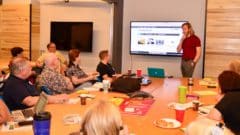
    Last weekend I hosted a workshop for members of WordPress Orlando where we worked on websites as businesses. The event was set up like a quicker Startup Weekend, where attendees pitched ideas and voted on them to work together in groups. At the end of the day, each group shared what they worked on and what they learned during the day.

    The goal was not to further the business of any one attendee, but to have everyone work together. We also sent attendees home with some cool tools, including a free year of hosting at SiteGround, to ensure that they had no excuse not to get started with their businesses.

    WordPress Orlando Business Workshop

    We gave groups a mandate not to focus on writing code, but instead look for tools that could help them out. This let us focus on the idea and a minimum viable product than on perfect execution, which is all but impossible in one day. They learned how to set up membership sites, newsletters, payment gateways, or even just install WordPress. They focused on the structure of a business model and website, not on the exact layout and design.

    I believe that empowerment is the key feature that WordPress offers. I’m always talking about the community and how important it is to be involved and how it helps raise everyone up, but empowerment is the reason for that community to exist. WordPress can make it easy for someone who is retired, between jobs, raising a family, going to school or already employed to start a new business or expand upon a hobby. Giving someone the option to start their own business without having to wait for approval or jump through a ton of hoops is a great way to get them involved in something fun that can produce tangible results.

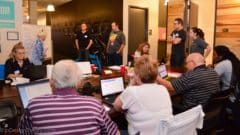
    WordPress Orlando Business Workshop

    I would say that the event was a success overall. We had about thirty attendees stay the full day to work, and we rarely had to step in to help. I think that’s the best sign of success for me – that we were facilitators and mentors, not walking people through every step of the way. We’ve already had requests to do the event again, and I took copious notes on how to improve for the future.

    I can’t thank our awesome sponsors enough for the support that they gave us. I didn’t ask for money, I asked for tools for our attendees to take home with them, and did they provide! This is my blog, so I can put my affiliate code, but if you attended the event, you got some of these tools for free or at a heavy discount. 😀 Thanks again!

    • Director of Innovation for Orlando, Matt Broffman, came by to share with attendees his path to building Bungalower, a site that exemplifies many of the lessons that we aimed to teach.
    • Canvs donated space for our teams to work and eat throughout the day.
    • SiteGround graciously donated free hosting to all attendees and gave us some awesome notebooks for the event
    • StudioPress offered a discount on their themes, which I use for a lot of site builds.
    • Easy Digital Downloads  and iThemes offered a discount on their extensions to help users start an online store
    • CodeGuard and MainWP gave users free tools to help manage their sites and keep them safe and up to date.
  • WordPress and Enterprise Level Solutions

    WordPress and Enterprise Level Solutions

    It’s already been better discussed elsewhere, but the latest security release of WordPress (v4.0.1) exposed a fatal flaw in how some developers improperly created their own shortcodes, eschewing the Shortcode API that has existed since v2.5, making it a nearly seven year old issue.

    The discussions on whether this update should have happened, what it means for automatic updates and the ill will that can be created when “WordPress is broken” have been had already, causing those of us who’ve had to explain to people in the past the difference between WordPress core and community made plugins and themes work overtime in the past week. Last night I got into a discussion over Twitter concerning the issue and how it relates to WordPress being viewed as an enterprise level solution for website development.

    The discussion that I had was concerning a web property owned by a multi-billion dollar corporation. My gut reaction to say that they should know better has to be tempered with the fact that no, they should not have to. It’s the job of every site owner to vet their system, but to make a platform that is truly global, that vetting should be delegated. Web hosts and security analysts should vet code for collisions and bugs. Theme and plugin shops should ensure that their products adhere to best practices. Putting accountability for the full stack on each site owner is not only inefficient, but impractical. Inherent trust should exist that code in the official repository maintains a baseline level of code, trust that is eroded when the problems that occurred with a subset of sites on this update occur.

    I’m not one for intrinsically weakened systems. I don’t think, for instance, that the ability to toggle off a security improvement like this should be readily available. That said, it is to the developer who understands the system, as it is to write them in a system-approved manner in the first place. What I do think needs to happen is a better system of education, both for clients and for developers new to WordPress (or new to specific tools in it). There needs to be more public discussion on why progress will invariably cause a bit of trouble upon adoption and how to react or future-proof. There needs to be discussion on how that trouble can lead to lack of faith, and a mistrust in the next level of WordPress growth: higher adoption among enterprise clients.

    To avoid these discussions invites stagnation of growth, inhibition of progress and a lack of advancement for WordPress and its adherents everywhere.

  • Helping Others to Help Myself

    Helping Others to Help Myself

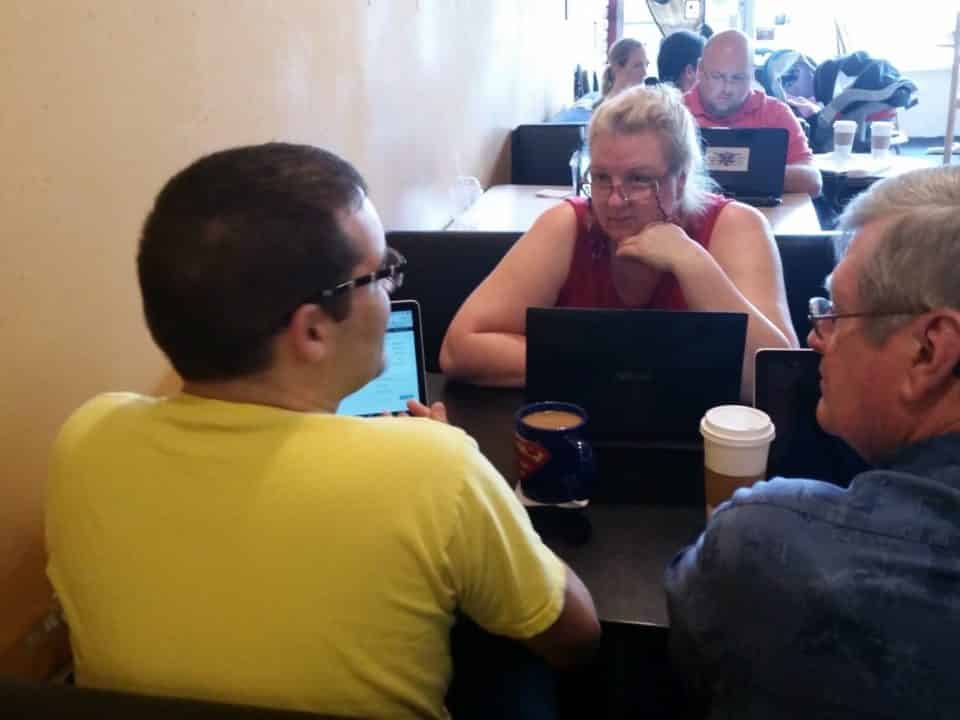
    Last month I undertook an ambitious help-desk tour with the WordPress Orlando community. The goal was to meet with local WordPress users in a casual coffeehouse environment and help them with any questions that they had about their websites. Each meetup occurred over four hours at a different coffeehouse each day, with the goal of getting more businesses to each shop, as all of them are local shops with owners that are community involved.

    While I didn’t keep exact count, there were about 25-30 people who came by over the course of the week, both to help and to be helped. I learned plenty of things myself, and a few things that I felt were worth sharing.

    First impressions of projects or people may not always be correct.

    It’s easy to get an idea of people, companies or tools stuck in your head. First impressions are huge, but can sometimes be way off the mark. I learned that people are more nuanced than I sometimes give them credit for, and that tools that I originally wrote off can serve my business and clients well. Reminding myself of how I might give off a bad first impression at times, I am trying to be more forgiving.

    Empowerment is more than just handing off tools.

    I love to talk about WordPress Empowerment a fair amount, since I truly believe that it’s a powerful tool to try new things and to get your idea out without a great deal of work to start. I have to remind myself that my skillset is unique, and that most of the people that I work with do not know how to use these tools as intuitively as I do.

    There are countless ways to look at and solve problems.

    Working with one of our attendees during one of the meetups, I tried to come up with a solution for a problem that they were having. We ended up talking it out, defining the scope of the work that she was trying to do, and applied just a bit of thinking outside the box. It turns out that a plugin that was built for an entirely different niche/industry had all of the features that she needed after stripping away the ones that she did not. Countless development hours saved by looking at the problem differently.

    Sometimes you have to grin and bear it.

    You’re not always going to like what you do. I love my work, but know that there are days that I don’t want to stare at a screen. When those days come, I have to remind myself of why I love what I do, and why I keep on keeping on. I agree with Steve Jobs on changing course when you wake up too many days in a row disliking what you are about to do. Redefine what it means to be in control of what you’re doing.

    That’s it from me. If anyone who was there happens to read this, let me know what you learned in the comments.

  • 11 Years of WordPress

    11 Years of WordPress

    Today marks the 11th Anniversary of WordPress being unleashed upon the world. I’ve personally been working with it for about six years, since the summer of 2008. While my first sites are not online anymore, I remember that they weren’t that great. The struggle to get started with using WordPress was great for me in the beginning.

    There wasn’t as large of a community built around WordPress in 2008. I didn’t even know that there was much of one until 2011. I attended the first WordPress Roundtable (now WordPress Orlando) in the fall of 2011, and by the third meeting I was organizing speakers, setting up events, and doing a few talks of my own. I’ve got an awesome team around me, including James Tryon, Jean Perpillant and Carol Gann, as well as some newer faces that are stepping into leadership roles. The community has grown since then to include a website and Facebook group, as well as two or three events per month. As of writing, we’re about a month off from hitting 1000 members, making us the second largest tech meetup in Central Florida!

    In January of 2009 I began to leverage the web design training I’d been practicing since early high school, and started my own freelance business, Orange Blossom Media. I started out with static websites and basic dynamic design, but it took a while before I made WordPress the tool of choice, after learning some PHP to go along with the HTML and CSS. In December of 2012 I quit my current job of the time, incorporated the company and haven’t looked back. I’ve now got a team that I work with, and we’re looking to add a few people over the coming months.

    In 2012 I also started working on organizing WordCamp Orlando. The event was a huge success in my mind, considering it was my first go-round with this type of event. Since then I’ve attended a dozen camps around the country, and love using them as work vacations. WordCamp Orlando 2013 was even bigger, adding 100 attendees, an extra day and about twenty more speakers. I’m already excited for 2014, which is going to be a year of slower growth due to venue choice, but is still going to be a huge step forward.

    WordPress has helped me to make a life around doing the things that I like to do, namely teaching, consulting and building for the web. The community is amazing and helpful, and they all deserve support and respect for helping to foster something larger than any one individual. The fact that we can throw events for a piece of software, as well as have a highly attended party just celebrating it’s existence is a sign that it’s something that many of us are passionate about. I thank you WordPress, and all that you have given me through the past few years. I look forward to helping you celebrate many more birthdays in the future.

  • And That’s Why You Always Manage Your Spam

    And That’s Why You Always Manage Your Spam

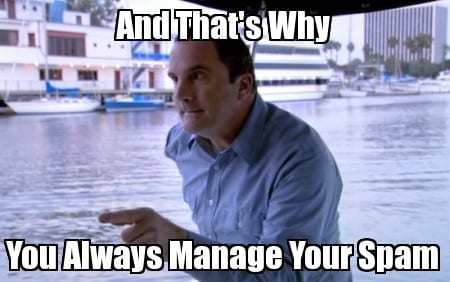
    And That's Why You Always Manage Your SpamWhile working on migrating a client site last week, I saw that their queue of 70,000+ spam comments had ballooned their database to such outrageous proportions that it was difficult to move servers and retain anything useful without clearing it out first. Of course, trying to get these files to and from shared hosting servers (I know, I know, not my choice) was a tedious accomplishment.

    There are plenty of ways to manage spam, which I can think of a variety of reasons to do: (keep the sanity of your developers, stop rewarding spam-bots and the sites that they shill for, increase your own site rankings, make your posts more attractive to actual readers, etc.). The short amount of time that you put into taking care of this problem can be reaped many times over in the long run.

    Unsurprisingly, WordPress.com runs one of the best tools for the job, Akismet. This plugin runs from the WordPress servers, meaning it doesn’t add additional strain to your site, and is constantly checking against and adding new types of spam to block. It is easy to set up and is pay-as-you-like, meaning the cost can be as low or as high as you find the plugin useful.

    Comment moderation is another useful tool, which you can do from the Discussion Settings of your admin panel. You can force users to register before commenting if you so choose, automatically ignore comments with a defined number of links in them, blacklist comments containing specific keywords that you set, and more. Again, this is something that only takes a few minutes but can greatly reduce the amount of spam on your site.

    Beyond these tools, there are hundreds of plugins built for the sole purpose of combating comment spam. It may not seem like a big deal if your site isn’t getting a lot of direct traffic right away, but if it’s online, spam-bots can see it and try to exploiit it. Being proactive is the best defense for the sanctity of your site discussion.

    Does anyone have specific tips or tricks that they’ve learned to manage spam comments and submissions?

  • Comments on Live Site Being Sent to Staging Site

    Comments on Live Site Being Sent to Staging Site

    If y’all weren’t aware, I’m a big fan of my site host, WP Engine. One of the coolest features that their service has (in addition to built in security, caching, CDN and backups), is the ability to make a staging version of your site with a single click, and copy the staging version to your live site just as easy.

    This is where an issue has arisen however. Yesterday morning before my last post, I made a snapshot of my site for staging, so that I could make a few tweaks and test some code. When someone tried to comment on the post, and when I tried to respond, they were redirected to the staging site.

    Thanks to the help of a quick WP Engine employee, it was determined that Jetpack (which was managing my comments) was authorized on the staging site when I made my snapshot, and for whatever reason that was chosen to be the default. Simply de-authorizing it on the staging site fixed the issue.

    Even though that was an annoying hiccup that I didn’t catch myself, my host quickly did and rectified it. Hopefully I can save a few people out there some time with this 🙂

  • 10 Years of WordPress

    10 Years of WordPress

    As most of the people who would be reading this blog would know by now, today is the 10th Anniversary of the first relase of WordPress. All over the world, people are taking some time today to reflect upon this milestone, and of their time with this software. Even while celebrating Memorial Day here in the US, I’ll be hosting a party tonight at the Geek Easy in Orlando.

    Barcamp Orlando 2013I myself have been with the software just around five years, since 2008 and right around the release of version 2.5. I remember when I started searching for a new way to easily manage websites, since up until that point I’d been hand-coding them in HTML. I was not yet professionally building websites, but doing so for school assignments, for friends and for fun. During my travels through the world of website management, I discovered a free platform that I could easily install via Fantastico on my hosting control panel. I began building in earnest with this tool, first for myself, then for friends, finally for some clients. I admit that I can’t recall which client was the first to pay me to build with WordPress as opposed to static work, but I do recall building a website for an employer on the job, making my regular hourly to do the work.

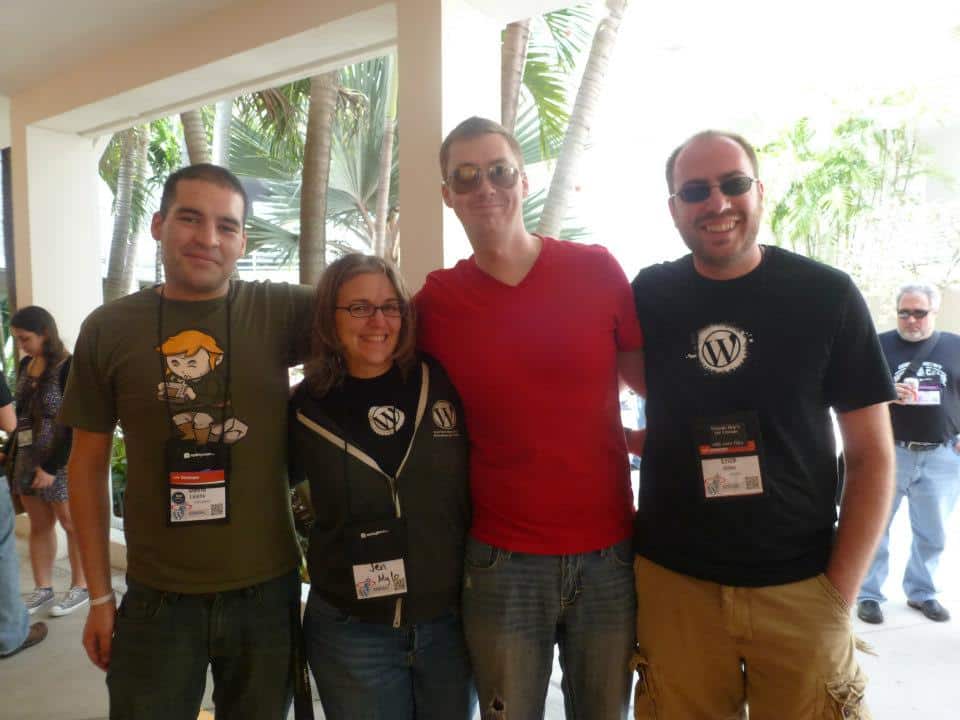
    From there I’ve been offered a great many opportunities. I’ve held a few jobs relating to computers in other ways, such as database management for a radio station and was a computer technician for a while (I much enjoy playing on the web to fixing problems where the easiest answer is “buy a new computer”). I’ve had several jobs with other companies specifically as a WordPress developer, slowly growing my skills over time. There’s no way I can honestly say that I’m not still growing and learning new things on a regular basis. In a few more years I’m sure I’ll look at where I am today and shake my head at that youthful folly.

    Last year I decided to take the plunge into freelancing full time. I had already been doing so for a few clients, and wanted to free myself up to pursue passions. To continue with honesty, I’ve not made the most that I could of this time, but I’m still enjoying myself and making plans for the future. I help organize the Orlando WordPress Meetup, as well as WordCamp Orlando. I teach and do support, build custom plugins and themes and try to be a general resource in the area for my fellow WordPress aficionados.

    I imagine that if a few years ago someone told me that I’d be focused so heavily in one thing that I’ve planned a party and based most of my life around a piece of software, I’d have thought that they were crazy. Now that the time has come though, I can see many paths that I’ve been offered, and the one that I’ve taken has the possibility of taking me to that ideal, to the place that makes me satisfied with my impact on the world.

    Thank you WordPress, thank you Matt, and thank you to the rest of this wonderful community for all that you have done. I want to be here in ten more years celebrating again.

  • WordPress is Secure

    WordPress is Secure

    The following is a slightly altered response that I gave to a potential client about the perceived security differences between WordPress and other CMS’ such as Drupal and Joomla. I’ve added a few links and a bit of my personal snark here to ward off a few comments.

    Not just a show of security like this CC image courtesy of Alexandre Dulaunoy on Flickr
    Not just a show of security like this.
    CC image courtesy of Alexandre Dulaunoy on Flickr
    WordPress is a stable and secure CMS, blogging tool and application framework. There are a few reasons why people might say that it is insecure, mainly due to attacks that have occurred on WordPress sites in the past, as well as noteworthy attempts to attack multiple WordPress sites at once. One of the main reasons for this is the popularity of the platform, which powers about a quarter of all sites being built now. Just as there are far more viruses and attacks on Windows computers than there are viruses made to attack Mac computers (yes, mac viruses do exist people), more people will focus on the more popular system to attack. It’s not that it is easier or harder one way or the other, simply that most hackers work randomly, with no focus on the actual owners of the sites/machines, but looking to exploit as many as they can.

    WordPress is secure because of the popularity. It is an open source framework that is constantly being updated and checked by tens of thousands of developers, all of whom can play a hand in updating the software. This means that chances are, if a security flaw is found in WordPress core or a popular plugin, it will be announced and patched quickly. Compared to closed source systems with a small development pool, this is much more stable and able to withstand attacks.

    The main reason that WordPress might seem insecure to some is the fact that any code can be run on a WordPress site. Specifically, I’m referring to themes and plugins, which can be developed by anyone, with a variety of skill levels and levels of security in mind. This is why it is very important to keep all of your themes, plugins and especially the WordPress core install up to date. Whenever you see a new update, you should apply it.

    For a bit more information, WPEngine (my wonderful web host) has been doing a series recently concerning a large (and ultimately unsuccessful) attack against a variety of WordPress sites:

    http://wpengine.com/2013/04/were-doing-a-series-on-wordpress-security/
    http://wpengine.com/2013/04/security-series-users-can-stay-secure-with-strong-passwords/
    http://wpengine.com/2013/04/how-tony-perez-of-sucuri-sets-up-his-own-security/
    http://wpengine.com/2013/05/wordpress-core-is-secure-stop-telling-people-otherwise/

  • WordCamp Miami 2013 & My Lack of Sleep

    WordCamp Miami 2013 & My Lack of Sleep

    WordCamp Miami this year was a whirlwind of an experience for me. Three days, seven tracks, close to fifty speakers and over forty-two hours without sleep left quite the impression on me. New and old friends alike were seen, stories were shared and lessons were learned. I may have entered exhausted and done nothing but exacerbate that situation, but I left pumped and ready to plan WordCamp Orlando for the second year.

    The first day of the conference actually occurred two weeks earlier, with a beginner workshop at Nova Southeastern University. There, myself and five other speakers went through a course on starting a website with WordPress, from registering a domain to making your first post and choosing themes and plugins. The turnout was excellent, and the attendees that I spoke with indicated that they had received valuable information while there. I also met the wonderful Ernie Hsiung, who offered up a free bed to crash on, which I gratefully accepted the second night of the conference proper. This extended into the second weekend, where I again helped at the beginner workshop before the official event. I missed BuddyCamp to help on this, but I look forward to catching those talks online. (more…)

  • WordCamp Atlanta 2013 Roundup

    WordCamp Atlanta 2013 Roundup

    This past weekend was WordCamp Atlanta. This was my first time attending, as well as my first time staying in the city. While the city itself wasn’t quite as pedestrian friendly in places as I’d have liked it to be, and those legendary potholes really do exist, the conference was excellent.

    Throughout the weekend I was reminded of why I do what I do, which is to help others do what they want. My goal is to make useful back-end interfaces and features to let people build websites without having to worry about code. My work in training and teaching, as well as one on one support like I did a few hours of at the Happiness Bar, reminds me that just because I’ve been working with the platform for years, WordPress is fully featured enough that not every technique is obvious or intuitive. (more…)

  • What is the Difference Between PHP, HTML and CSS Anyway?

    While the following post is geared more toward beginners, and not the standard fare for this blog, I’m working up a more basic talk for non-developers to give a jumping off point for what we actually do to someone that wants to make sense of a basic WordPress site theme. There is no way that this could be all-encompassing, but it should be enough to help someone get into trouble while looking at a website’s code.

    Even advanced web developers will run across acronyms and terminology that baffle them on a regular basis, as well as programming languages that they’ve never even seen before, let alone mastered. It wasn’t so long ago that any developer out there couldn’t differentiate between the types of code that went in to running their sites and with new changes being made constantly, no one will ever know them all.

    I’m going to briefly discuss what the differences are between PHP, HTML and CSS, which are the most common types of code that are used to make WordPress websites. I’ll also touch a bit on Javascript, as most websites are running several scripts minimum to help with tasks for each page.

    (more…)
🌙 ☀️