Category: WordPress

  • Day 10: #WP20 From Blogs to Blocks

    Prompt 10/20 Blog: Check out the WordPress Roadmap (or this Roadmap to 6.3). What upcoming WordPress projects are you most excited to see happen?

    https://make.wordpress.org/marketing/2023/05/17/day-10-wp20-from-blogs-to-blocks/

    The full roadmap has a lot of interesting things on it, but I want to pick just a few to focus on:

    CMS

    Community

    • Ongoing re-engagement of events
    • Holistic contributor onboarding
    • Establish contributor and mentor programs

    I’ll focus on Community first, which is no surprise for folks who know me. I’ve not attended an in-person WordPress event since March of 2020. I was meant to speak at a WordCamp this year, and got Covid the week beforehand and had to cancel. The pandemic is still ongoing folks!

    I like the idea of reworking the onboarding experience for contributors, including building out a mentorship program for contributing. This has long been a large barrier to entry in WordPress community involvement, and getting the knowledge that has accrued in peoples’ heads into a defined program would go a long way toward ensuring the future of WordPress.


    The reason that I’m excited for PHP 8.2 compatibility is for improved speed, performance, and security. Though I would also want the WordPress Coding Standards library to catch up, as that’s been a pain for testing and linting for me lately.

    I’m excited for Custom CSS in blocks and theme variations because that just makes it even easier to customize pages to look how you want them. Having these tools in blocks directly would let you make changes without having to know CSS selectors.

    Finally in the CMS, I am excited for new APIs, including the Fonts API and the Block API. In my mind, these will make it easier for users to build custom experiences around WordPress.

    If you have used RSS readers, you are already familiar with the idea that you can extract content from a blog and read it in different formats and styles, depending on the reader that you are using. Now imagine that you could apply this concept to your browser directly, and on any WordPress website.

    In my mind I see a browser extension that lets me not only customize things on a reader level, but at a block and font level to load just the things that are needed from each website (the content), and handle the design of all of the other elements yourself.

    This would necessarily take some of the presentation control from site owners and put it in the hand of visitors. That’s not always a bad thing though, and something that I would absolutely make use of. Either way, it’s certainly worth considering when building websites in the future. They have always said that Content is King, and it’s only becoming more true IMO.


  • Day 9: #WP20 From Blogs to Blocks

    Day 9: #WP20 From Blogs to Blocks

    Prompt 9/20 Blog: Tell us about your favorite memory that includes WordPress or the WordPress community.

    https://make.wordpress.org/marketing/2023/05/15/day-9-wp20-from-blogs-to-blocks/

    I don’t think that I can choose only one memory, but all of my favorite WordPress community memories involve WordCamps.

    I’ve been to dozens of WordCamps, maybe nearing 100? While there has been a lot of slowdown since the pandemic started, I used to attend and speak at WordCamps on a regular basis.

    WordCamps to me mean friendship. They are great places to network, learn things, find business, and present myself to others. But more than that they are places to see friends who I don’t get to see that often. To meet people that I’ve known from the internet but never met in person. To make new friends through chance encounters.

    If I were to choose one specific WordCamp memory, it’d be one from Jacksonville, FL in 2019. I got to spend time with several friends, and have lots of interesting conversations.

    • I got to talk to a friend about memories of our first web experiences, bringing up some pleasant memories as well as spurring several project ideas 💡
    • A repeated verbal gaffe during my presentation inspired two of my friends to design and print a t-shirt for me, before I made being a furry part of my public identity 🐶🤣. I still have that shirt!
    • Lisa and I focus tested our Cards Against Humanity knock-off for Very Online People. While we didn’t end up pursuing the game further, I still have our demo copy as a reminder 🃏
    • I got to have more illuminating conversations with several friends who I was able to see in person rarely, as well as some locals who I get to see all the time. Those types of conversations are what keep me going with this community
    A picture of david on the left with friends Christie, Allie, Jean, Alexis, and Lindsey in the halls at WordCamp Jacksonville 2019

    I’m grateful for everything the WordPress Community has given me. There have been ups and downs there and for me personally, but I still count some folks that I’ve met through it among my closest friends. I can’t wait to get back to a WordCamp in August!

  • Day 8: #WP20 From Blogs to Blocks

    Prompt 8/20 Blog: Tell us about the strangest, most interesting, or otherwise notable place you’ve done WordPress-related things.

    https://make.wordpress.org/marketing/2023/05/15/day-8-wp20-from-blogs-to-blocks/

    I’m trying to think of something strange to present that I’ve done with WordPress. I’ve used it in a few sites where maybe I shouldn’t have, but nothing too out there.

    I have a few sites in mind that are notable to me for different reasons:

    • I saw a demo of a museum website built by WebDevStudios nearly a decade ago that wrapped up a WordPress site as a mobile app. It allowed members to track their memberships, check in, and get details about artworks and exhibits, among other things. That was cool for the time and still is now!
    • Shortly after that I built an overly complicated social community website with WordPress and BuddyPress. At the time I had to write some custom plugins to make things work. I haven’t checked to see if they have moderation tools built in now, but if not they should. After getting most of the way through the project the scope expanded to a ridiculous amount. At that point I recommended that the client not spend on a custom website and instead funnel that money into social media marketing and start a Facebook Group. Sometimes centralization makes sense.
    • Earlier on in my WordPress community involvement I got connected to a governmental agency as an outside contractor to build out a WordPress website. I don’t know if I’m still under NDA but just in case I’ll just say that it involved space in a cool way.
    • I built a WordPress website out for a client that was more for his sake than for forward facing clients. Using a combination of Gravity Forms and a custom plugin, I built him a tool that he estimated would save 20-30 hours per week of phone calls and spreadsheet management. That’s huge! Nowadays I’d probably set him up with a no-code solution like AirTable, but being able to help in such a concrete way with WordPress was a big eye-opener for me.

    As implied a few times above, I don’t think that WordPress is the solution to every website problem. But the flexibility, versatility, and huge ecosystem make it worth looking into for most every project.

  • Day 7: #WP20 From Blogs to Blocks

    Day 7: #WP20 From Blogs to Blocks

    Prompt 7/20 Blog: Describe your journey with WordPress using only emojis or GIFs.

    https://make.wordpress.org/marketing/2023/05/14/day-7-wp20-from-blogs-to-blocks/

    🍕🏳️‍🌈⌨️💾

    👨‍💻🏡🐾

    ✨👨‍❤️‍💋‍👨🧑‍🤝‍🧑👨‍❤️‍👨🎉✨

    ✨💬☕🏳️‍⚧️🧸🎧✨

    ✨🐕🐶🐕🦊🐰🐲✨

  • Day 6: #WP20 From Blogs to Blocks

    Prompt 6/20 Blog: Pick a song that symbolizes WordPress’ 20th anniversary to you. What is it and why? (Extra credit: Post the video!)

    https://make.wordpress.org/marketing/2023/05/13/day-6-wp20-from-blogs-to-blocks/

    Automattic employee Julia Golomb created a playlist on both Spotify and Apple Music that celebrates songs from each of the jazz artists that WordPress releases are named after.

    I don’t use either service, but I am addicted to YouTube. So I’ve created my own port of the playlist that you can listen to on YouTube!

  • Day 5: #WP20 From Blogs to Blocks

    Day 5: #WP20 From Blogs to Blocks

    Prompt 5/20 Blog: Tell us about the most creative use of WordPress that you have ever seen. It doesn’t have to be a website you’ve worked on, but it can be!

    https://make.wordpress.org/marketing/2023/05/12/day-5-wp20-from-blogs-to-blocks/

    If we are talking about creative use of WordPress, and specifically of Blocks, the Museum of Block Art is a good place to start.

    Created by several designer and developer contributors to WordPress, the MOBA is meant to showcase the creative power granted by core WordPress blocks, without having to rely on custom CSS to get there.

    The results are impressive! There’s artistic framing! There’s magazines! There’s Mario! There’s rainbows! There’s Mondrian!

    screenshot of the front page of the Museum of Block Art website

    Look through the gallery and find something that will inspire you to block creative action. I know that I will be making something pretty with blocks.

  • Day 4: #WP20 From Blogs to Blocks

    Day 4: #WP20 From Blogs to Blocks

    Prompt 4/20 Blog: Tell us about the oldest WordPress website you know of/worked on/built that you can find in the Wayback Machine. When is it from? What was it for? Screenshots encouraged.

    https://make.wordpress.org/marketing/2023/05/11/day-4-wp20-from-blogs-to-blocks/

    Alright, I finally have to share this old site. I have avoided it in the past because quite honestly, I assumed that the domain name and header image would have gotten me hit with trademark infringement and a DMCA notice. Thankfully I was far too small time for this 😅

    https://web.archive.org/web/20110806235035/http://thenintendogamer.com/

    a screenshot of the website The Nintendo Gamer taken from the Internet Archive Wayback Machine

    Look at that! A custom header in the NES font! Two header menus! And the same quality of writing 🤣

    While the archives here are from 2010-2011, the site had been started elsewhere in 2008. It’s been a while since it was directly online, but it is admittedly nice to be able to take another look at it thanks to the invaluable Internet Archive.

    I just made a donation to the Internet Archive in thanks for keeping some of my old sites up well past any value to anyone but me. I encourage you to do the same!

  • Day 3: #WP20 From Blogs to Blocks

    Prompt 3/20 Blog: Do you have a favorite WordPress block? If so, tell us why! If not, tell us why not! (Note: It doesn’t have to be a core block) Post your response on a WordPress website and link it in the comments.

    https://make.wordpress.org/marketing/2023/05/10/day-3-wp20-from-blogs-to-blocks/

    I first wanted to go the route of choosing the humble Paragraph Block as my favorite WordPress block. Besides being the one that is most widely used, it is also such a simple way to represent the power of the web, as well as WordPress. You can type words, hit publish, and they are available for others to read!

    Instead though, I’ll highlight the Cover Block. This is the block that showed me the power of the Block Editor most easily. I’ve created Cover Block style designs for a lot of websites, and they always required a lot of custom CSS to line things up properly, make responsive, and look good. Plus they weren’t always the most accessible. Plus they needed extra backend work if I wanted to let clients edit/add photos themselves. Plus they wouldn’t look like they do on the frontend while editing!

    My Wonderful Family 🥰

    Look at that! A piece of art that I get to share again, with some text over it, and a semi-opaque cover over the image to make it easier to read. Plus, it is wider width than the rest of the content. All done with a built in block.

    This is the power of WordPress, with the promise of seamless editing becoming more and more of a reality thanks to the hard work of countless volunteers and contributors.

  • Day 2: #WP20 From Blogs to Blocks

    Day 2: #WP20 From Blogs to Blocks

    Prompt 2/20 Blog: Tell us about the first website you used WordPress on. What was it for? When was it built? What happened to it? Post your response on your WordPress blog and link to it in the comments.

    https://make.wordpress.org/marketing/2023/05/09/day-2-wp20-from-blogs-to-blocks/

    Oops, it looks like I got ahead of myself with the Day 1 prompt on my WordPress origin story. That’s ok, I made a few WordPress sites around the same time when I started

    Besides my personal video game blog that I was testing WordPress out with, I started using the software rather quickly for client sites as well. The job that I was at used a different CMS for the company website. While I was ultimately unable to convince them to switch before moving on to a full-time web developer job elsewhere, I was able to build WordPress sites for some personal clients at this time.

    Before WordPress, I built custom sites for clients using HTML, CSS, and PHP. I would also find existing libraries that I could use to do things like add galleries that the client could upload to on their own. Having a system with a lot of tools built in for free was a watershed moment for my career.

    The next thing that came close to this was discovering not only a vibrant ecosystem of themes and plugins ready to use, but the community of people who built and supported all of this for free. But that’s a story for another entry…

  • Day 1: #WP20 From Blogs to Blocks

    Day 1: #WP20 From Blogs to Blocks

    Prompt 1/20 Blog: What is your WordPress origin story? Share what you’ve already got on your WordPress.org profile, go into more detail, or share a new story. And if you’ve never fully filled out your profile or setup your dot-org account, now’s the time! Post your response on a WordPress website and link to it in the comments.

    https://make.wordpress.org/marketing/2023/05/08/day-1-wp20-from-blogs-to-blocks/
    Entity wapuu pictured with WordPress.org, taken in (2022), during sample development.
    CCO licensed photo by Wapuu from the WordPress Photo Directory

    I explicitly created my new WordPress Community profile on 27 May 2018. Besides being able to move away from a deadname as a username, I was able to celebrate the birthday of the piece of software that has brought so much to my personal and professional life. Now I just need to get a core contributor badge again like my old one had 😅

    For WordPress’ 20th anniversary I want to participate in the #WP20 From Blogs to Blocks challenge and remind myself of why I got into WordPress in the first place, and why I continue to use it.

    I started learning web development in my rather forward-thinking high school, which offered a class in HTML. While CSS existed, it was very basic, and we were instead still adding styles as attributes or using presentational HTML as opposed to semantic HTML that we use today. I definitely lucked out on being able to get such an early start. While I didn’t go a traditional computer science route in college, I took several programming courses and continued to make websites for myself and friends for fun, before taking on some site projects for paying clients.

    Throughout all of this, I was blogging, a lot! I didn’t think about keeping my writing on my own site, but was active on LiveJournal, and maintained some active communities there as well as just putting down thoughts in a place where others could comment on them. While I’ve regressed to not blogging on my own sites as much again, I still use writing to center myself, share what I’m learning, and clarify my thinking.

    In 2008 the union of my love of writing and building websites came together when I started looking for a CMS, and was introduced to this fairly stable project that had been around for five years at that point, WordPress. I made a lot of mistakes getting started! I clearly remember using my header.php file to hand-code menus, since I didn’t realize that there existed a menu editor in the WordPress dashboard.

    At this point there was a separation of pages and posts, but Custom Post Types was not yet a thing, and so while useful, WordPress wasn’t seen as a potential solution to every type of website.

    My first WordPress site was a personal website where I would review NES games, with the intent to cover every game that I was able to get into my personal physical collection. I topped out at a few dozen reviews and about 120 cartridges before that ended, but my usage of WordPress did not.

    Fifteen years on and I’m still using WordPress in a personal and professional capacity. I’m sure that I’ll cover more time, but for now I’ll say that it’s good to get back to the WordPress Community, and I look forward to seeing some old and new friends at WordCamp US in August!

  • WordCamp US 2019 Recap

    WordCamp US 2019 Recap

    My friend Allie Nimmons asked recently if anyone would read a WordCamp US 2019 recap were she to publish now, and the feedback was highly positive. So much to the point that Allie published her WordCamp US Recap that same day, and inspired me to write one myself. I am not quite as quick as getting things published 😅

    Community and Diversity

    Allie devotes a good portion of her post to talking about community, which if you already know me, know is one of the topics that I can discuss to the point of making people tired. That’s not a joke, by the way. I have twice had people tell me (once anonymously, once not so much) that I spend too much of my stage time talking about community.

    I joined Allie, Jill Binder, and Aurooba Ahmed in giving a workshop on improving diversity at events, with a focus on improving diversity of speakers. More information on the workshop (as well as how to run it in your own community!) can be found at the Make WordPress site, and you can also get the workbook that Aurooba put together for us.

    Personal Scheduling

    This was one of the most highly scheduled WordCamps I’ve ever attended. I had a tight schedule already, arriving late the night before and leaving the morning of contributor day. In between I had volunteer orientation and a few volunteer shifts, a SiteGround meeting, an organizer meeting, and of course the workshop and my own presentation, The Power of CSS.

    My one regret this time around was the sessions that I had to miss. I was told that I got some shoutouts from Tantek Çelik during his talk, “Take Back Your Web”. I absolutely would have attended that regardless of a shoutout, considering how integral Tantek has been to the IndieWeb movement that I’m trying to become more involved in.

    Similarly, The Web We Want did a session discussing changes that users would like to see on the web and how we as a community could work to make them happen. The idea looks great on the whole, and I would love to see it expanded in ways to be more accessible to people who aren’t able to attend a few large events or have heavy development skills. I submitted a few suggestions prior to the event, but due to scheduling was unable to be there in person to hear other ideas and see the panel discussion.

    My connection to WordPress events revolves almost entirely around people. Whether that’s meeting new people or spending time with friends met online or via past events, I try to devote most of my time to conversations. That was easy to do with most of the jobs that I had, but even in this regard I didn’t fully succeed. As an example, I briefly got to meet david Shanske of the IndieWeb community as he introduced himself to me prior to our workshop, but I was unable to connect again until after the event. When a barrier to community involvement is not exactly knowing where you fit in and how to help, having conversations and finding allies is important. I aim to do so in the future so that one day I feel a bit less like an outsider imposter.

    A Shift in WordPress

    I won’t be the first to say that the WordPress Community and events have changed a fair amount over the past year. There are a variety of reasons given for this, and I imagine that it’s a combination of factors. WordCamp US certainly felt a bit more corporate than it has in years past, though that’s not really a bad thing to me for an event of this size.

    I do think that the disconnect between funding (both the decline in sponsors and rules/limitations) and the volunteer nature of the event are also a cause for concern. I still have yet to get a good answer to a question that I had stemming from a conversation about WordPress Global Sponsors from over a year ago, and part of my concern is that I seem unable to

    Highlights

    Finally, a quick rundown of some of my favorite parts of the event.

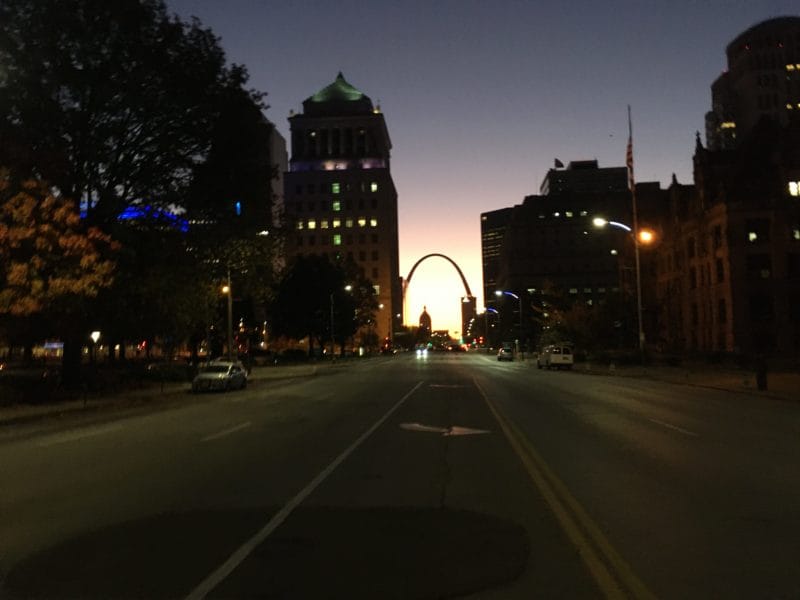
    • Meeting Jean Perpillant for coffee before the event, freezing my hands in the cold to get a picture of the Arch during the sunrise.
    • Chatting with Cami Kaos and Courtney PK about some non-WordPress things for a change, like gardening, pets, XOXO Fest, and their love for Portland.
    • Checking Twitter after my lightning talk and workshop to see a lot of positive tweets, helping to slightly alleviate the worry that I did a poor job.
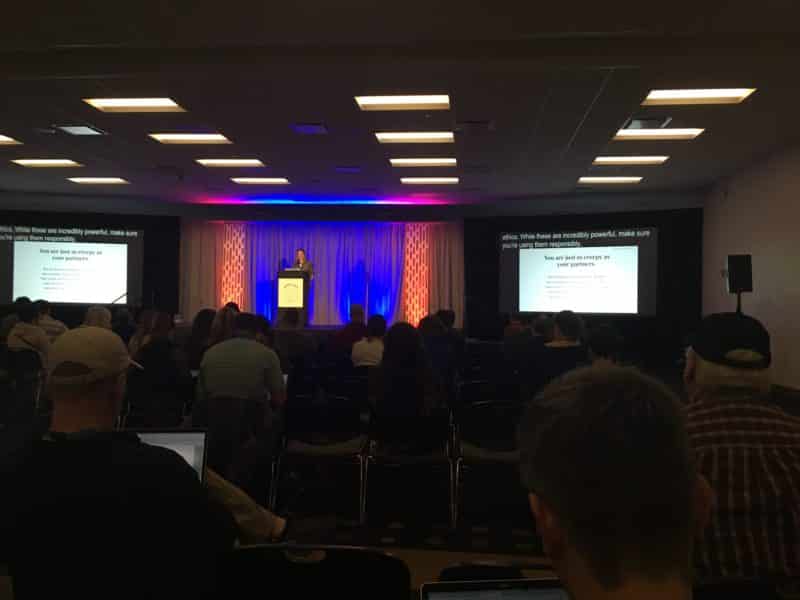
    • The talks that I did attend! Like
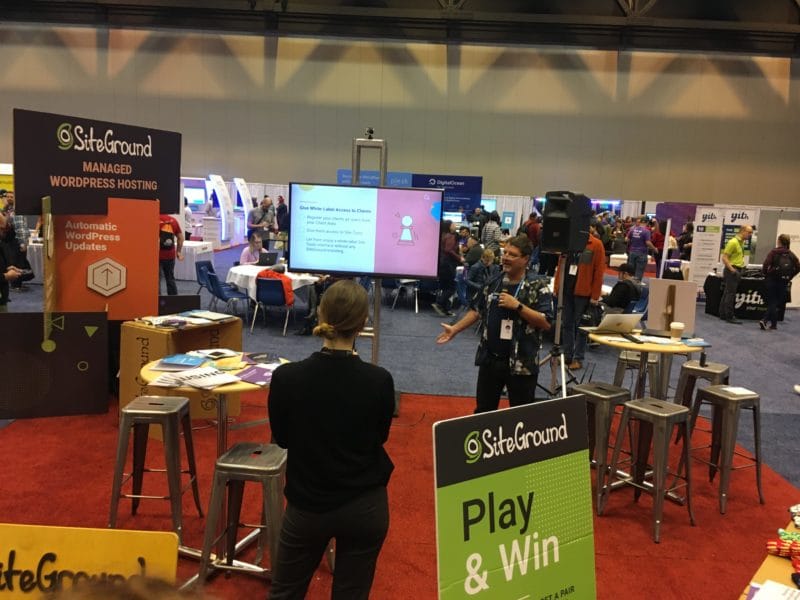
    • Spending time with the SiteGround crew! This included a dinner in which I overstuffed myself before entrees even arrived, a productive meeting, and catching up with more people about work and life outside of the conference.
  • WordCamp Boston Recap

    WordCamp Boston Recap

    I haven’t been doing a good job of recapping most of the WordCamps that I’ve been to. I did a recap of WordCamp Atlanta back in May, but since then I’ve been to Jacksonville and Montclair. I also have a few coming up, including Denver this weekend. My goal is to better do write-ups of things that I’ve learned at these events. Hopefully I can pass along some useful information to you, or at least remember the events better for future me.

    With the number of WordCamps that I’ve gone to this year and the number still coming up, I’ve opted to make trips a bit shorter to better fit my schedule and budget. I’m immensely grateful to SiteGround for making it easier for me to attend WordCamps as an ambassador, not least because I am already a regular user of their hosting and services, and recommend them at our Meetups.

    Travel

    I flew into Boston on Friday and left Saturday evening after the full day of sessions. I did miss a few talks that I wanted to see on Sunday, which is even more disappointing considering the quality of the talks that I saw on Saturday. It was easily one of the best collections of talks I’ve attended at any event over the past few years.

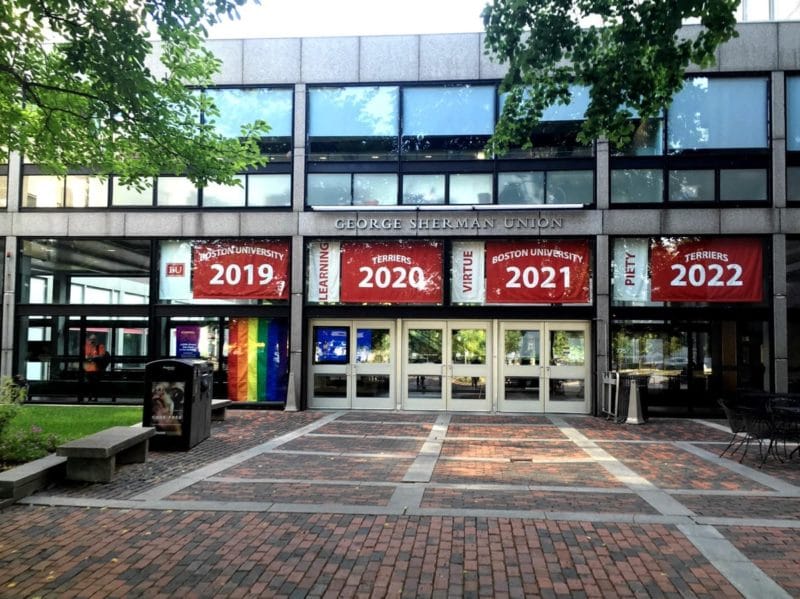
    WordCamp Boston 2019 venue

    I started the morning off with a train ride from my hotel to Boston University, where the event was held. The transit that I used was pleasant and affordable, and it makes me wish that we had a more robust system in Orlando for public transit. While I know that I should use our bus system before complaining about it, the inconvenience is immense. I’m grateful that I don’t have to rely on it regularly. I have to make the decision to drive 15 minutes or take three buses over the course of 90 minutes (which leave only once per hour) to join my weekly blogging group, and that doesn’t include the mile of walking to get to and from those buses.

    I arrived early with the intent on getting coffee and some pre-event work done. I was derailed by the coffee shop that I was going to opening an hour later than expected. I took the opportunity to take a walk through the neighborhood, sitting in a shaded park for a bit to just think and look at animals that we don’t get in Florida. Boston was going through a heat wave, which amounted to a pleasant autumn day in Florida.

    Sessions

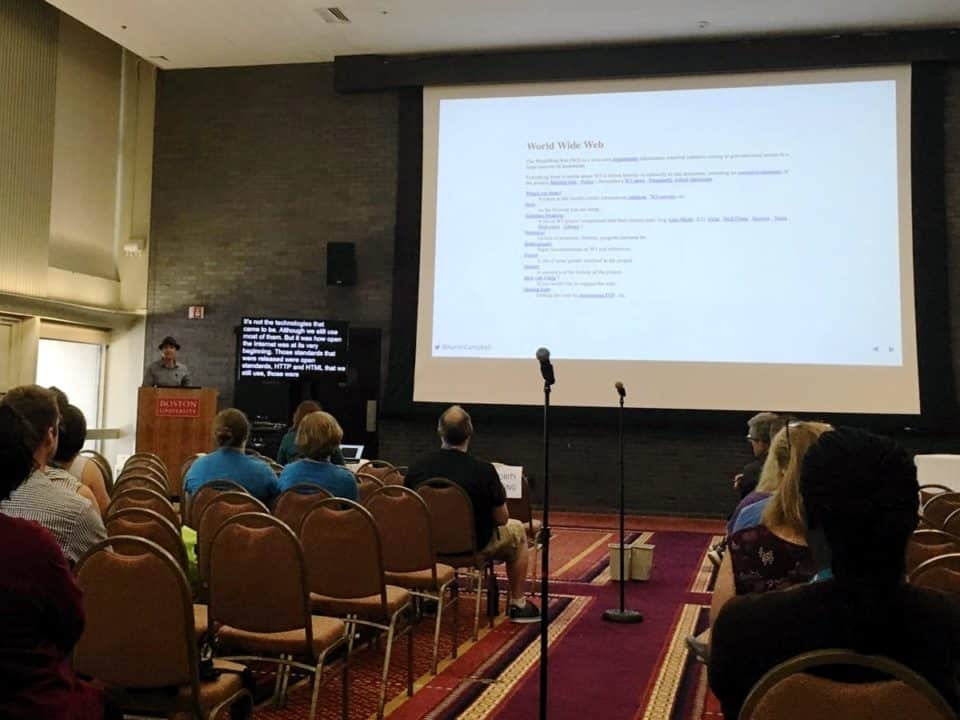
    The first session that I attended was “The Future: Why the Open Web Matters”, delivered by Aaron Campbell. Aaron walked us through a bit of history of the web, some of the challenges that it faces, and what we can do about it. Considering that I was delivering a talk about IndieWeb later in the day, I knew I’d want to see what he had to say. After the talk I spent a bit of time chatting with him, where it became clear that even when a problem can be agreed upon, solutions aren’t quite so easy.

    Aaron D. Campbell delivering his presentation "The Future: Why the Open Web Matters" at WordCamp Boston 2019
    Aaron D. Campbell delivering his presentation “The Future: Why the Open Web Matters” at WordCamp Boston 2019

    Following that talk, I went to see Kathy Zant deliver her presentation, “The Hacking Mindset: How Beating WordPress Hackers Taught Me to Overcome Obstacles & Innovate”. Kathy shared her experience getting started in security, some common mistakes that people make, and ways to fix them. She made a great point that WordPress is so large that you’re going to be regularly attacked just for using it on your site.

    Kathy Zant delivering her presentation "The Hacking Mindset: How Beating WordPress Hackers Taught Me to Overcome Obstacles & Innovate" at WordCamp Boston 2019
    Kathy Zant delivering her presentation “The Hacking Mindset: How Beating WordPress Hackers Taught Me to Overcome Obstacles & Innovate” at WordCamp Boston 2019

    I also spent a bit of time at the Happiness Bar helping with website issues, as well as the hallway track of chatting with friends and sponsors. Some of my favorite conversations come from these moments where we have a chance to dig deeper than we do in online conversation. I do sometimes get deep into a conversation and realize that I’m missing a talk that I would otherwise have attended, but the memories and actionable advice that I get during these impromptu chats are just as important.

    The final talk of the day stood out to me most. That was “The World-Wide Work”, delivered by Ethan Marcotte. He touched on some of the same topis that Aaron and I did, but focused even more about biases encoded into design, both intentional and unintentional. He similarly bemoaned the darkening of the web, and what he sees as a potential path forward. Ethan was unfortunately cut off near the end as he ran over time, but I would have loved to discuss the points that he brought up at length. Alas, I was unable to stick around for long or attend the trolley tour, as I flew out a few hours later.

    Ethan Marcotte delivering his presentation "The World-Wide Work" at WordCamp Boston 2019
    Ethan Marcotte delivering his presentation “The World-Wide Work” at WordCamp Boston 2019

    My Presenation

    Again, I’m thankful for the opportunity to attend so many events, meet new people, share ideas, and receive support for doing so from SiteGround. I try not to swoop into events just for my portions, and prefer to stay and interact for the full duration. It is nice to be able to spend the night in my own bed after giving a talk though.

    My slides for my presentation, “WordPress and the IndieWeb: Why You Should Own Your Voice”, are available here: WordPress and the IndieWeb: Why You Should Own Your Voice. I welcome conversation about that here, via Mastodon, or on Twitter.

    Let’s work together to make the web a more open, equitable place for everyone!

    Fediverse Reactions
🌙 ☀️