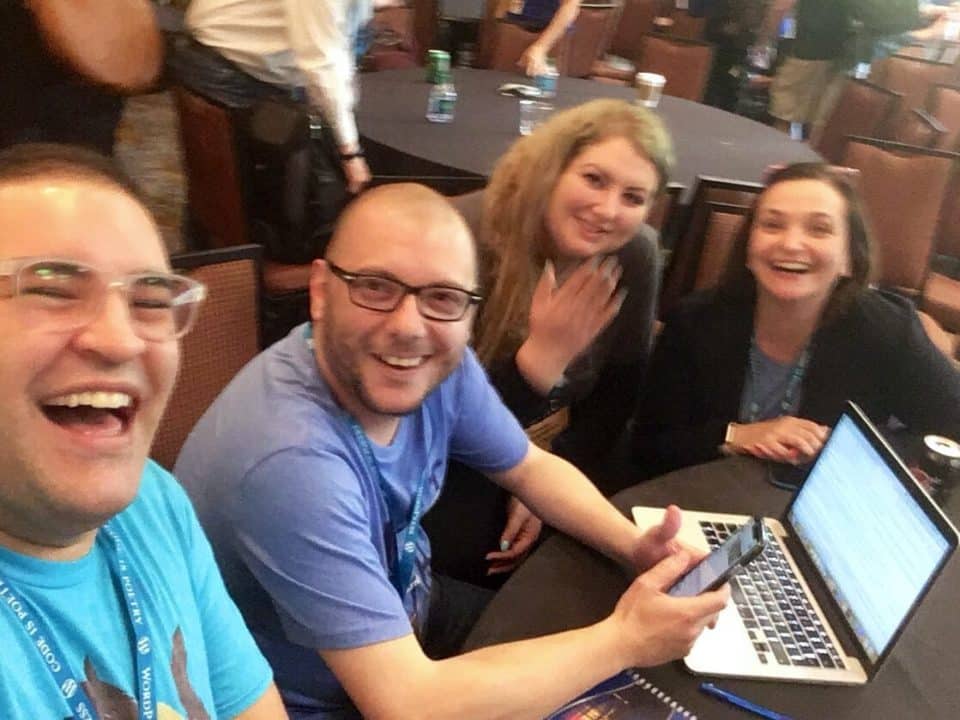
Time for another annual product review! The thing that I do so infrequently that my last one was at v31.0 in January 2019. This time I’m not writing it as a series of release notes. Gotta shake it up! And my thoughts just aren’t flowing like that right now.

Obviously a lot has happened in the past three years, not just to me but to the world. I have been in a very privileged position to mitigate a lot of the issues that have cropped up. My family is general healthy, still employed, and in a safe position.
Writing and Coding
I haven’t written in this blog in almost two years, and I keep telling myself that will change. I don’t want to be the kind of blogger who only updates to say, “long time no see!”, or, “more incoming”. But alas, here we are.
At the very least, I have been keeping my newsletter going on an almost weekly basis, so it’s not like I’ve been doing nothing! I’ve just been doing it in a different form wiht a different type of feedback. I’m quite liking that return to newslettering, and I have plans for a second one that I want to try to form an actual community around this year. You should subscribe and see what interesting things I’m finding online.
I’ve started a new coding project for the year, which is both exciting and daunting. My intent is to code up as much as I can on some artistic project each month, with a new project to start out each month. Whatever I have I will share publicly by the end of the month and hopefully blog about. I’m really pumped on the idea, but I’ve already stalled out on month one a bit!
I’m working on the blog post to hopefully put up tomorrow, but January’s goal is to create a basic Full Site Editing theme to start using on my personal site and get a feel for how themes would be developed for clients and for public release. I’m fairly excited, but also intimidated by the concept. Still, I want to see improvement in the space, and I want to work on my very lackluster design abilities. Maybe that’ll be a future project…
Personal Stuff
This has been one of the biggest areas of growth in the past few years for me. Like a lot of folks, I’ve used the separation from constant events and being in public around ohters granted by the pandemic to do a bit of introspection. A topic that’s fascinated me for years has been identity. Both in how we form and shape it for ourselves, and how we reflect that back onto others. I think that internet technology has done a lot to morph self conception, and it is truly something worth studying more in depth. Something that I personally want to study more in depth.
For those who can take a cursory glance at me, I am in fact gay (surprise!). For those who know me a bit better, you may know that’s overly simplistic, as I’ve complicated myself enough that I don’t really know where I’m at. Here’s a list of things that I’ve been thinking about my gender and sexuality over the past few years: gay, agender, pansexual, non-binary, polyromantic, transgender, polyamorous. I don’t think that all of these fit me, and certainly not all of the time, but it’s a start. I have pretty consistently stuck with the label queer, as it’s one that I’m ok with simplifying something complex and amorphous and not really necessary to label.
“Not queer like gay. Queer like, escaping definition. Queer like some sort of fluidity and limitlessness at once. Queer like a freedom too strange to be conquered. Queer like the fearlessness to imagine what love can look like…and pursue it.”
—Brandon Wint
For what it’s worth, many people are going to see me for the first time in years having moved from using he/him pronouns and being married to a man. Still that, but also preferring they/them pronouns, more outwardly presenting myself as queer, and in a loving relationship with that same man, as well as transgender and non-binary partners who make me just as happy in different ways, having taught me new ways to love and be loved. I’m excited to meet you all over again!
I can’t tell how many folks think that I just got lazy with my own name, but I have in fact stopped capitalizing it last year. I’ve got a bunch of reasons for that, but I admit that I’ve taken a lot of inspiration from two writers who I have great respect for, danah boyd and the unfortunately passed bell hooks. There’s a lot that I could give about why I made this decision, but suffice to say it’s complicated in the same way that any part of being human is.
Moving into another year
I’m rambling a lot but I wanted my birthday post to let out a bit of this stuff in a place other than my newsletter or in private chats with friends. I promise that there is more to come but for now I am going to celebrate my birthday with some loved ones today who go out of their way to make me feel good.
If we’re meeting again after a while or for the first time: hello, my name is david. I’m queer, I’m tremendously thankful for everything in my life, I’m working on getting a little better every day, and I love you
Covid-19 has clearly become the most important event of the year, and will have long-term effects that we can’t even see yet. One thing that I have noticed positively is the number of people who are stepping up to help their communities.
I’ve been thinking a lot about what I could do to help, and have asked a few people for advice. I figured it’d be worth sharing some general ideas. Not because they are extraordinarily groundbreaking things that you couldn’t figure out for yourself, but because sometimes hearing someone else can strengthen what you already know.
Offer services to local businesses in need
There are a lot of businesses that are struggling right now. Some have already laid off their employees or shut down.
There have been calls for everyone to order dinner out from their favorite local restaurants. I agree that supporting businesses that you want to see stay around is valuable, but not all of those businesses are equipped to handle an online ordering, delivery or pickup only reality. Some don’t have websites at all, let alone ways to take orders online.
There is a group in Orlando that put together the website Save Orlando Bars, which is intended to collect donations for bars that they can then distribute to staff who are unable to serve and get tips. This is a great start that required comparably little direct action on behalf of the organizers. They did design and build a site, which is exactly in their wheelhouse.
If you want to do more, contact your favorite restaurant and see if they need some support for their site. If they offer delivery, they may not be showcasing it prominently. If they have a way to order online it may need help. Or even just updating a menu and their hours, making it easier for potential customers to support them financially as their walk-in business plummets.
Give breaks to your long term clients
I’ve lost two clients due to layoffs over the past two weeks.
One of my clients did not dismiss me, though their business is based almost entirely around live events that have been postponed or canceled for the foreseeable future. Simply put, they’re paying to manage a site that is mainly providing the information that everything is closed.
This is one of my oldest maintenance clients, and they’ve paid me for years of work supporting their site through FixUpFox. They had me place some info on the site about cancellations due to the pandemic, and mentioned that it was going to be challenging with ad revenue drying up.
I realized this week that I was spending too much time complaining about how other businesses were handling their customers, and not doing anything for mine. I paused this client’s billing and sent them an email letting them know that I would be keeping it off for a few months, but the services provided would not change.
A screenshot of an email from my client.
It’s already been a difficult month, but this is a sacrifice that I am able and willing to make. I’ve reduced rates for some other clients as well, letting them know that it was temporary and specifically to help and to thank them for their years of support. They could have chosen countless other providers, but they trusted me with their business, and I don’t take that trust lightly.
Make yourself available for questions
I’ve spent over a decade working with WordPress and two decades on web development in general. I’ve been involved in community building for as long, and I have been working from home for years. Plus, I run my own businesses. When it comes to advice, I may not have the best, but I have a lot of it.
I have made an open call to chat with people via DM and a few other chat/voice services that I use for anyone that needs to talk. This includes if someone just wants to talk about life in general and have someone to vent to or commiserate with. The same goes for you: leave a comment on this post or contact me on Twitter @davidWolfpaw, through Mastodon @david@tech.lgbt, or through other means that you may have and we’ll make time to talk.
Be there for your friends and listen
Related to the above: I have been proactively reaching out to friends online to see how they are doing. This has been a reminder that not everyone is in the same position that you are, and that challenges exist outside of your view. It’s easy to become complacent and think that your problems are everyone else’s. Being able to communicate with people all over the world and see how they’re coping can help you adjust, as well as let them connect.
I check in on quite a few friends daily and some others at least weekly to see how they’re doing. Most important, I try to let them do most of the talking and empathize in places where I cannot sympathize directly. I love when people ask me how I’m doing and check in, since it lets me know that they are thinking of me. If I can do the same, I feel that I should.
Remember to help yourself, so that you can help others
You can’t be there for everyone else if you aren’t taking care of yourself. Drink enough water. Get some regular exercise. Journal. Eat something healthy.
Whatever it is that helps keep you doing well, ensure that it doesn’t stop in this time of confusion and panic. You’ll better help your friends and community if you are helping yourself first.
I was thankful to spend the start of this week at the Flashback Conference, a small event hosted in Downtown Orlando. The event had the focus of, “Celebrating web development of today and how we got here”, and I think that it delivered quite nicely.
One of the reasons that I attended the event is that I have been feeling a bit of burnout around web development lately. I’ve gotten to a certain point that I have admittedly been able to coast on things that I’ve already got a good enough grasp on, and not push myself to do more. I’ve described my state lately as, “mentally and emotionally exhausted”, and I think that applies to work as well.
I’ll give a short spoiler: this event was fantastic. The cost was great, it was intimate, and I had great conversations with lots of new acquaintances. I hope that the organizers put it on next year, I’ll gladly volunteer, and I will try harder to push people in the local tech community that I know to attend.
Arriving at the Event
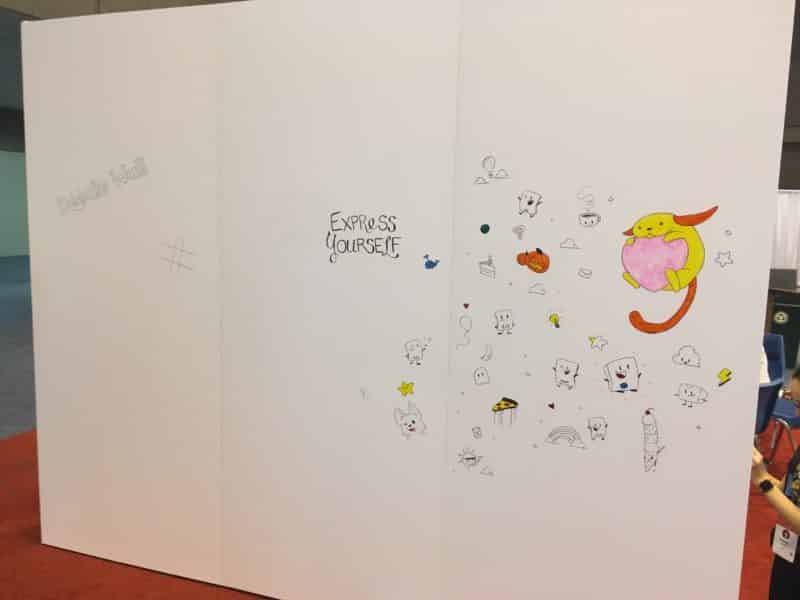
Flashback Conference 2020 was held at The Abbey, a concert and event venue with a stage, plenty of gathering space, and rows of chairs and tables setup for the conference. The location in the heart of downtown by Lake Eola made it convenient to step outside for fresh air, walk to Starbucks for fancier coffee during the breaks, as well as avoid having to worry about parking and travel since it was easy for me to get a ride to and from the event.
The hosts were welcoming as I arrived, easily checking me in and directing me to make a name badge. I was happy to not be the only one putting pronouns on my name badge, which was one of the first of many ways that I felt a bit more included.
I made a note before the event that it was the first conference that I’ve been to with a tech focus that was less than half white male. While it’s still a bit disappointing that it’s something worth noticing immediately, I was pleased with the diversity of people, experience levels, and thought that came from the conference. The event host, Jenell Pizarro, was entertaining, kept everything on track, and was all around a good emcee, having done research on her own to share interesting tidbits about speakers.
If all that I got were the conversations that I had with new people, that would have been worth it for me. Thankfully, the presentations were overall very good as well.
Day One Presentations
In another notable moment, this has to be the first conference in years that I attended every single presentation. Making it a single track event was a great idea, and was the only way that catching every talk was feasible. Though there were some minor technical difficulties, it’s not unexpected for a tech conference.
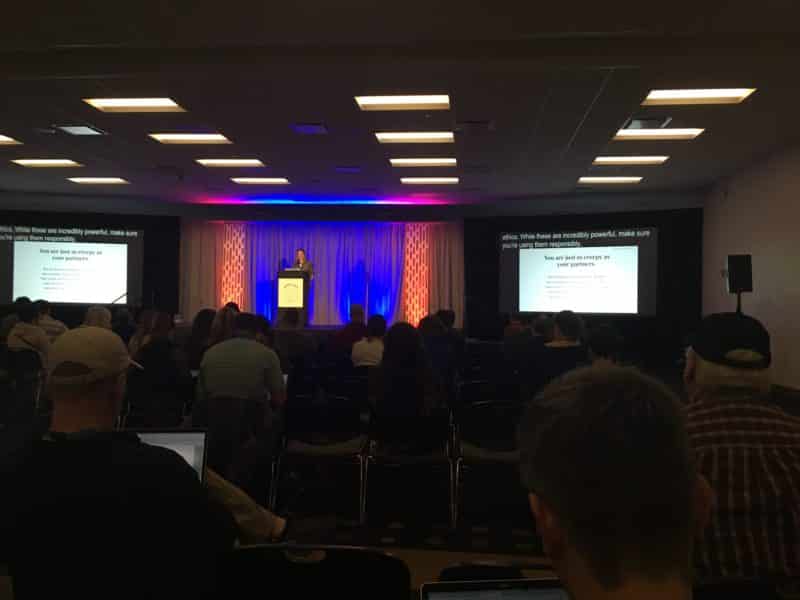
JavaScript developer and author Kyle Simpson was the day one keynote for the event. In his presentation he covered some of the history of web development, from single file pages with all scripting inline (or even before scripting existed for the web!) to the idea of separation of concerns, Kyle had a long timeline of web development tools and techniques.
Kyle had several takeaways for attendees around focusing on the user first, and suggesting that we don’t think about graceful degradation or progressive enhancement but instead on “Imprintable Design”. His overall thesis was that users shouldn’t have to mold to technology, but technology should instead fit users and meet them where they are, becoming imprinted with the needs, wants, and concerns of the user. I am fully behind design and development in this way.
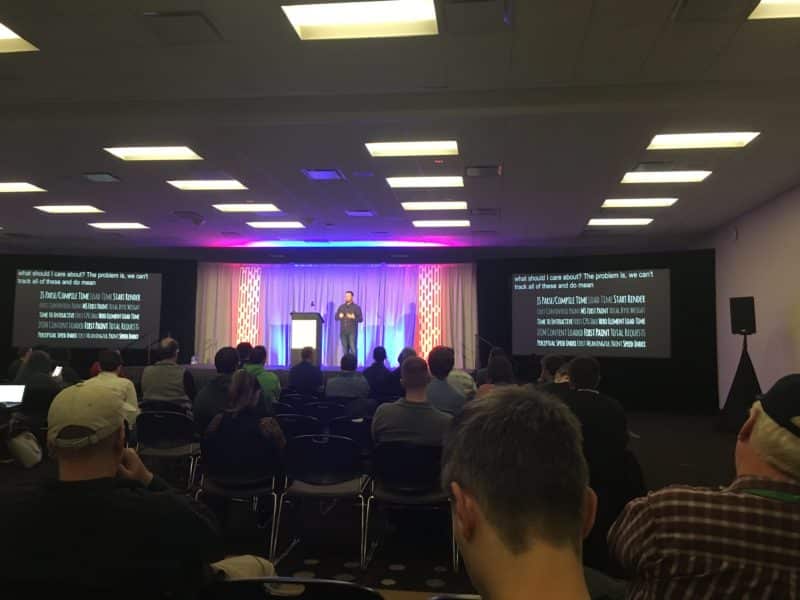
Ben Ilegbodu was the second speaker, and also spoke about the history of web development. Both of these men were around and developing during most of this time, and Ben reminded us that things were both simpler, yet harder with a higher barrier two decades ago.
Before justify-content, we had the spacer gif.
Ben Ilegbodu
Following Ben was Ayşegül Yönet, who shared with us how WebXR is poised to redefine VR development for the web. The demo took a bit of time to get going but was interesting, and I look forward to seeing more done in the VR space that feels less just like novelties or vertigo-inducing games.
Jay Hoffman, creator of The History of the Web was the perfect person to talk about the death of webmasters. Spoiler: Jay doesn’t really think that they are gone, but they have definitely changed. He outlined what makes a good webmaster as being versatile, collaborative, and skillful. Jay also talked about why things simultaneously got too hard and too easy for the webmaster as they existed on the early web to keep existing.
The next talk was an accessibility primer discussion with Helena McCabe. She gave lots of good data around accessibility and disabilities, a variety of compelling reasons on why your site should be accessible, and a few ways to get started on working toward that goal.
Em Lazer Walker did a very cool talk about game dev on the web. Specifically, they shared some of the methods used to optimize a Flappy Bird battle royale game, which introduced me to some novel concepts of caching and creatively fudging to give the appearance of instantaneous interaction on a budget.
Simon MacDonald talked about progressive web apps from their inception to the current state of affairs. The work that he did with PhoneGap helped me several times in the past, as well as let me see that something totally opaque to me (developing a phone app) was accessible by flipping the script on what tooling was acceptable.
Always Bet on the Web.
Simon MacDonald
Finishing day one, Divya Sasidharan talked about JAMStack, considering dynamic content in static site generators, and handling deploys. She shared some useful tools and links, and further encouraged me to experiment with moving my personal site to a static site for the good of my users. Maybe that’ll be a post soon!
Day Two Presentations
The keynote for day two was on “The Humble Radio Button”, by Estelle Weyl, someone who has written more books about development than I will likely learn in my life. She was gracious with her time to chat, and during her presentation she shared a lot of useful demonstrations on how something seemingly as straightforward as the radio button, a 26 year old HTML feature, could be used in stunningly diverse ways. I absolutely agree with Estelle that we as developers have to try to avoid breaking the accessible web foundation that we’re starting with when developing sites.
Someone is paying for your [JS library] downloads. It’s not you as the dev.
Estelle Weyl
Raymond Camden had an entertaining presentation on the history of the dynamic web. The first scripting that I ever learned was Perl for CGI, and being reminded of it was a weird treat. He also endorsed some of the static site generator frameworks that I have played with and considered for future projects.
I haven’t used Azure, but Burke Holland gave a good overview of some cool things that you could do with the platform, walking through most of the code that runs a public bookmarking demo site that he built that looked pretty cool. Following Burke’s talk and lunch was a panel focused on the current state of web development, which echoed a lot of what was heard earlier in the conference: it is simultaneously easier and harder to get into web development and to find a job these days.
david Kourshid is a talented developer who can do amazing things with CSS. I thought that I liked CSS, but I wish that I had used some of his examples in some talks that I gave last year. For now, I’ll settle on learning from him and trying to duplicate some of his efforts in my own way. david showed a lot about how web animation works, and some creative ways to think about design for the web. This had to be the talk that most made me immediately want to start coding something on the spot.
Before the afternoon break, Alyssa Nicoll talked about dark patterns in UI, something that frustrates me on a regular basis. She gave some good resources for combating them, as well as showcases of various dark patterns. Some of them are mind-blowingly brazen in how they attempt to deceive users, and many work.
Finally, the decision to end the event with Carlos Souza was a great idea on the part of the organizers. I’ve been to some of his Meetups in the past, and we used his company’s office for years to host the WordPress Meetup, for which I will be forever grateful. Carlos spoke about moving to the US and creating tech communities, how that impacted his career, and how all of us can give back as attendees, speakers, organizers, and sponsors of local events. The topic is near and dear to my heart and I was nodding in agreement the whole time.
Community Involvement
I overall liked the fact that it was a smaller, more intimate event. But I can’t help but agree with one of the panel speakers, Lee Warrick, about the lack of community involvement at the event. I know dozens of developers that would have benefited from this conference, and I posted to our Meetup group in advance of the event and told people that I was going.
What I didn’t realize, being self employed, is that some people simply couldn’t make themselves available to attend that wanted to. Lee shared this with me via tweet:
I had a lot of friends that got denied by their employer or couldn't take PTO to come out
It’s sad that this is the case, but with some of my prior employment experiences I can also understand it happening. Business owners: encourage your employees to attend community events, or at least don’t discourage them when they suggest them to you!
Overall
I couldn’t have asked for a better conference to get me out of my funk a bit.
Did it solve every problem that I have right now? Absolutely not.
Did it give me pages and pages of notes to refer to later, both for specific problems and explorable ideas? checks notebook Yup, for sure.
Thank you Flashback Conference, for reminding me of where I started on the web, and why I’ve stuck with it for so long
As usual, I’m running a bit late on plans! I was out of town for the past week, and while I could have written this post then, I wanted to take time off away from the computer a bit.
I’ve seen lots of “13 Best Whatevers of the Decade” posts going around, but I decided to limit to a few of my favorite things that I personally consumed in 2019 only, whether they were made last year or not. I also wanted to choose my top thing in each category, then realized that it’d be easier just to pick a few that I liked overall.
Favorite Film of 2019 – ‘Steven Universe: The Movie’
What can I say besides I love Steven Universe? There is something about the pure wholesome goodness of the show that gets me. The characters not only grow over the course of the series, but they make mistakes, learn from them, and live with those consequences. Even with standalone, bite-sized episodes, the world is more fully fleshed out and realized.
The Steven Universe movie is the penultimate story of the series, taking place after the powerful ending of the show but before the more relaxed epilogue that we were blessed to receive at the end of the year. It immediately opens by letting us know that the world has changed in the few years following the series proper, but that all of our favorite characters are still around.
Being able to pull a new story out that uses a clever plot device to let the characters – and by extension the audience – get reacquainted with each character as a culmination of the series was a real treat. Not to mention the fact that the songs are really catchy, and that the cast does an amazing job of keeping them stuck in my head four months after the movie was released. It makes sense that Cartoon Network plans on re-releasing it as a sing-along this year. On top of that, the animation is superb.
If 2020 can be the year of authenticity, and the ability for us to talk openly about our feelings without regret, I’d be completely on board with that. I also wouldn’t mind Steven’s wonderful outfit!
Favorite Books of 2019
I finished 61 books last year, which includes some trade paperback comics and audiobooks. It doesn’t include the multiples of that length that made it through my Pocket queue, but I guess it’s not a consumption competition, is it?
This category made me not want to limit to only one entry, because there were so many good ones! I wanted to share a mix of non-fiction and fiction in a variety of formats: introductory primer reference, graphic novel, novellas, and short and full length stories.
I picked this up during WordCamp NYC, and immediately thought of my friend Allie Nimmons. I texted her the cover of the book and she asked if I could pick up a copy for her. Little did she know that I’d already paid for two more copies of the book 😂
The artwork serves the concepts of the book well, and it is a great primer on a lot of theory around queer thought, rights, and issues. There’s a lot that I wasn’t aware of, especially some of the earlier history of Queer Theory. There were also multiple points in the book where I nodded along with the author going, “yes, exactly, that’s what I’ve been trying to tell people!”
I felt that this book was best consumed on long walks that I’d take through my neighborhood. I use the word “consumed”, because I realize that to some extent it’s still a notch on the stick, a piece of art to be consumed at 2x the intention of the author to make room for others.
That said, I got a lot out of this book. I tried going through both of my social media profiles to the week that I read the book to find a quote that I was certain that I’d saved, but I wasn’t able to find it. The time that I spent focusing on that simple but frustrating task is probably a good example of how we can make busywork feel more important than it is.
Some of the ideas that Mr. Doctorow explores are inflammatory, and that’s exactly the point. I’ve enjoyed all of his books, and this one was no exception. It left me with lots of ideas, some good and some bad.
I was first introduced to Ted Chiang through the film ‘Arrival’, and am better for it. The short stories here cover a lot of the common sci-fi tropes, yet in a way unlike I’ve seen them before. From an alien world dealing with their overuse of the environment to a time travel story set in the Islamic Golden Age, Chiang takes familiar themes and remakes them anew.
I didn’t realize that Tetris had such a complicated history. This graphic novel is an engrossing read in how people with big ideas took bigger risks by lying their way into bringing the popular Russian computer game to the masses on handheld gaming consoles.
Favorite Album of 2019 – Dirty Computer by Janelle Monáe
What’s that you say? This album came out in April 2018?
Sorry, I can’t hear you over the sound of Janelle Monáe knocking down barriers and proclaiming that we are all valid, and more alike than we are different.
Favorite Games of 2019
Mario Maker 2
This is the kind of game that I can make time for now. I either spend way too much time wandering in games like Breath of the Wild or No Man’s Sky, or I play party games that only require a few minutes at times that it’s socially unacceptable to be on the computer
Mario Maker 2 expands upon the first game with more tools for people way more talented than I am to make frustrating levels that feel amazing when you finally figure out the secret and make it to the flagpole.
Pokémon Sword
I haven’t played through the game very much, so it’s weird to add it here. But I can already tell that it’s a good rework of the original games that I grew up with, and keeps the wholesome fun going that makes the series one of my favorites.
I’ve made myself so busy lately that I haven’t been able to get far into the story yet. But my husband knows me well and took the time to evolve a Sylveon for me to help me build an all doggo team with a friendly fairy as the lead
Adventures With Anxiety
This game is a half hour long and mainly story driven. Sure, the wolf character is obviously cute and speaks to me, but so does the purpose of the game. You work your way through some anxiety-inducing situations, and decide the course of action that your character takes. At the end you’re given some science-backed resources on how to handle various situations.
It’s playable for free on Nicky Case’s website, and you should check out more of their work too!
Jackbox Party Packs
I never played the original Jackbox games, but the party packs have been a lot of fun. They are great with groups of friends and family, and are good in person or online.
Conclusion
This is just a bit of what I’ve consumed last year. I plan on more regularly sharing what I like this year via my newsletter (subscribe for good stuffs!)
Have you read, seen, played, or listened to anything that you want to share with me? Leave a comment and I’ll add it to my list!
My friend Allie Nimmons asked recently if anyone would read a WordCamp US 2019 recap were she to publish now, and the feedback was highly positive. So much to the point that Allie published her WordCamp US Recap that same day, and inspired me to write one myself. I am not quite as quick as getting things published
Community and Diversity
Allie devotes a good portion of her post to talking about community, which if you already know me, know is one of the topics that I can discuss to the point of making people tired. That’s not a joke, by the way. I have twice had people tell me (once anonymously, once not so much) that I spend too much of my stage time talking about community.
I joined Allie, Jill Binder, and Aurooba Ahmed in giving a workshop on improving diversity at events, with a focus on improving diversity of speakers. More information on the workshop (as well as how to run it in your own community!) can be found at the Make WordPress site, and you can also get the workbook that Aurooba put together for us.
Personal Scheduling
This was one of the most highly scheduled WordCamps I’ve ever attended. I had a tight schedule already, arriving late the night before and leaving the morning of contributor day. In between I had volunteer orientation and a few volunteer shifts, a SiteGround meeting, an organizer meeting, and of course the workshop and my own presentation, The Power of CSS.
My one regret this time around was the sessions that I had to miss. I was told that I got some shoutouts from Tantek Çelik during his talk, “Take Back Your Web”. I absolutely would have attended that regardless of a shoutout, considering how integral Tantek has been to the IndieWeb movement that I’m trying to become more involved in.
Similarly, The Web We Want did a session discussing changes that users would like to see on the web and how we as a community could work to make them happen. The idea looks great on the whole, and I would love to see it expanded in ways to be more accessible to people who aren’t able to attend a few large events or have heavy development skills. I submitted a few suggestions prior to the event, but due to scheduling was unable to be there in person to hear other ideas and see the panel discussion.
My connection to WordPress events revolves almost entirely around people. Whether that’s meeting new people or spending time with friends met online or via past events, I try to devote most of my time to conversations. That was easy to do with most of the jobs that I had, but even in this regard I didn’t fully succeed. As an example, I briefly got to meet david Shanske of the IndieWeb community as he introduced himself to me prior to our workshop, but I was unable to connect again until after the event. When a barrier to community involvement is not exactly knowing where you fit in and how to help, having conversations and finding allies is important. I aim to do so in the future so that one day I feel a bit less like an outsider imposter.
A Shift in WordPress
I won’t be the first to say that the WordPress Community and events have changed a fair amount over the past year. There are a variety of reasons given for this, and I imagine that it’s a combination of factors. WordCamp US certainly felt a bit more corporate than it has in years past, though that’s not really a bad thing to me for an event of this size.
I do think that the disconnect between funding (both the decline in sponsors and rules/limitations) and the volunteer nature of the event are also a cause for concern. I still have yet to get a good answer to a question that I had stemming from a conversation about WordPress Global Sponsors from over a year ago, and part of my concern is that I seem unable to
Highlights
Finally, a quick rundown of some of my favorite parts of the event.
Meeting Jean Perpillant for coffee before the event, freezing my hands in the cold to get a picture of the Arch during the sunrise.
Chatting with Cami Kaos and Courtney PK about some non-WordPress things for a change, like gardening, pets, XOXO Fest, and their love for Portland.
Checking Twitter after my lightning talk and workshop to see a lot of positive tweets, helping to slightly alleviate the worry that I did a poor job.
The talks that I did attend! Like
Spending time with the SiteGround crew! This included a dinner in which I overstuffed myself before entrees even arrived, a productive meeting, and catching up with more people about work and life outside of the conference.
Last week I wrote an article about misconceptions around Mastodon and the Fediverse. I got a lot of great feedback from that article, but I also got one question a lot: what is Mastodon, exactly?
I didn’t want to address this in that article, as it’s worthy of a full post of its own. I realize that this would be more introductory to the point that it should be read before that article if you just want to create an account and get started using it.
Mastodon is a decentralized, federated social network. It is decentralized in the sense that there is no one company running Mastodon, and there are instead multiple websites that exist, allowing for flexibility, durability, and freedom for the network overall, as opposed to one organizational voice and set of servers. Mastodon is federated in that those separate servers (called instances) can converse with one another. This allows for networks of scale to exist as they do on centralized social networks. An individual instance may have a few dozen or hundred members (or even just one!) and still be able to connect to hundreds of thousands of other accounts with ease.
The aesthetic of the web and mobile apps to access Mastodon are similar to Twitter and Tweetdeck. If you’re comfortable with Twitter already, you’ll be able to mostly navigate Mastodon with little help.
The idea of Mastodon is to create small communities with their own spaces, as opposed to one large forum like Twitter, Instagram, or Facebook. Think of it more like how Reddit has separate communities in subreddits, or how Facebook has groups that require membership to access.
Unlike Reddit and Facebook however, Mastodon is not hosted monolithically by one large company that contains all communities. Instead, different system administrators maintain their own Mastodon groups (instances), and each instance functions separately of one another on different domains. I run a Mastodon instance of my own at the domain tech.lgbt.
Within an instance, the admin has complete control. This is seen as a positive or negative, depending on the community and the user (see my section on “What is True Federation?” in my misconceptions article). They can set the tone of the conversation in the space, and police as they see fit.
How Does Mastodon Compare to Twitter and other Social Networks?
On Twitter, you have to follow the Twitter Code of Conduct, for better or worse. Twitter can choose to block your account for a limited time or ban you permanently if they think that it is required. Considering the scale of Twitter and the number of messages posted daily, it’s no surprise that moderation is mainly handled algorithmically, which leads to a very opaque process. This can lead to gaffes including the temporary ban of Twitter’s own CEO, Jack Dorsey.
Mastodon, on the other hand, has all moderation handled by individual people, often one person for an instance, or maybe a small handful of admins and moderators. This doesn’t mean that the system is necessarily better, but it does allow for a human touch that is so desperately needed where human speech is concerned.
If you do want to keep your Twitter account and use both, as I do, you can use a cross-poster to let you use both services together. I use moa.party, which allows you to link your Mastodon account to both Twitter and Instagram and cross-post between them. These services aren’t perfect, in part because the platforms work different, and because of limitations in the APIs of the closed networks.
How do I Create an Account?
There is no one place to create a Mastodon account. Instead, you choose a community that you want to be part of and create an account there. As an example, my instance, tech.lgbt is for LGBTQIA+ folks and allies with an interest in technology. One of the faster growing instances for furries that I’ve seen is snouts.online. Some users who got banned from Tumblr in late 2018 after their adult content ban have gathered at humblr.social (no longer online). A community for artists exists at mastodon.art, board gamers at boardgames.social, and even a private instance for video game slimes at slime.global.
The last instance is an example of a private instance. This means that the administrators set it up so that new users are either barred from creating accounts, or need to have one created for them by an admin. This is another one of the ways where Mastodon separates itself from Twitter and other networks. Users and admins are welcome to create their own spaces, manage them as they see fit, and interact in ways that are comfortable to them.
The account that you create will be findable via your username and instance name. For instance, I use the rather clever username of david, and am on the instance tech.lgbt. Therefore, my full username to send messages to is @david@tech.lgbt. Think of it like a hybrid of Twitter and email addresses.
Do I Need Accounts on Each Instance?
Long story short: no, you only need as many accounts as you want identities. You can probably interact with others that you want to from whichever instance you choose.
At this point you might be thinking about where to signup for an account and how much that matters. After all, you may be interested in both art and technology, or a specific political ideology as well as something more esoteric like fairies. Thankfully, you don’t generally need to worry about where you sign up for an account, because you can still interact with people on separate instances thanks to the most powerful feature of Mastodon: federation.
What is Federation Again?
Federation is, in simplest terms, how users at various Mastodon instances (or other, compatible websites like micro.blog, Pleroma, and Write Freely) interact with one another. If a Mastodon instance federates with (allows connection to) my instance, then users there can send a message to @david@tech.lgbt, and I’ll receive the message, get notified, and be able to respond just as if I was using Twitter.
The reason that federation is such a powerful tool is because it provides options. I have a defined Code of Conduct on my instance that I enforce, and I take all moderation requests seriously. You may not agree with my moderation standards, but may still want to interact with me or other users on my instance. You can then join another instance and still be able to hold those conversations.
By default Mastodon installs fully federated, with the ability for users on any instance to interact with any other. I’ve blocked a few instances based on the needs of my community and my own views. For instance, I’ve blocked instances that are created solely for spam, or instances that are more toxic in general for either harassers or migrations from Gab. Many instances also block others for spamming, or for hosting content that may be illegal in other countries, like the instances run by Pixiv in Japan.
How do I Find People to Follow?
Since Mastodon is a bit decentralized, it can be hard to find people to follow at the start. There’s no suggestion tool like Twitter has, and no tailoring based on who else you follow and where you live. Part of the allure of Mastodon is that it does so little algorithmically, and instead you are in control of your feed. There are also no trackers to help give the insight that other social networks have.
There used to be a search tool at joinmastodon.org to connect your Twitter and Mastodon accounts together then find who you follow on Twitter also has a Mastodon account. That tool is sadly down, and I don’t know if it is making a return.
A lot of users do #FollowFriday’s, similar to what used to be more commonplace on Twitter. There is also a nice opt-in directory called Trunk that has users on various instances, sorted by topic that they like to talk about.
I reached out on Mastodon to ask how people find others to follow. One response reminded me of a feature that I didn’t highlight before: instance directories. This response from patter gave a few suggestions covered above, and the following advice:
there are profile directories on some instances, you can browse those & add your own profile to them, and your profile isn’t in this public directory by default.
Users can opt-in to the profile directory to be easier to find
Additionally, I got a suggestion from one of my favorite mutuals, Winterfang, about using who you already follow to find new people to follow. This is how I found most of the people that I follow now on Mastodon, which is a good alternative to only finding people that I already know IRL.
I just look at the local timeline and follow people who look interesting. I never use the federated timeline at all, personally. Then the local people I’m following boosted some really great people, so I followed them too.
Most instances have policies around what is acceptable behavior and what is not. A good instance will have some form of Code of Conduct for users to abide by. Having some rules in place makes a safer and more enjoyable space, and having the rules written out publicly makes moderation more transparent.
We’re not a free speech absolutist, and there are instances available for that. We’re not interested in Nazis, TERFS, or hate speech of any sort, which we will define at our sole discretion as moderators.
This instance is meant to be a friendly, welcoming space to all who are willing to reciprocate in helping to create that environment.
Users are generally encouraged to create introductory posts that they can then pin to their profiles. Use the #Introduction hashtag, as well as hashtags for things that you’re focusing on in your account. Let people know who you are so they have reason to follow you!
Content Warnings are also encouraged on most instances. These are notices that you can place over the content of your messages, which will the require viewers to acknowledge and click through before reading the content. These are used for things like nudity, charged topics like politics and mental health posts, or even more benign content that all users may not want to see. Using CWs where appropriate is being a good neighbor to other users, as is adding descriptive text to images that you post.
Content Warnings can be included to hide toot content. Images can also be marked as sensitive.
How Do Locked Accounts Work?
Accounts on Mastodon can be locked, not unlike Twitter. What sets them apart though is that locked accounts can still make public toots. Instead of having to have an all or nothing approach to privacy, you can set it on your own terms. You can even post toots that are unlisted, visible only on your profile page.
By default Matsodon allows Public, Unlisted, Followers-only, and Direct Message posts
Many people on Mastodon lock their accounts to control who is allowed to follow them or not, and you may have to have a follow request accepted. Best behavior is to have your profile filled out with a name and profile photo, as well as a pinned post with the #Introduction hashtag to make it easy for people to learn about you and decide whether they want to allow you to follow them. We’re here to make friends, not broadcast announcements!
First, you sign up for an instance. This is easier to do from the web, since most mobile apps only allow you to login to existing accounts. Usually you can go to the homepage of whatever instance that you want to sign up for to create an account, provided that it’s not a private or closed instance.
When you’re signed up, you can use a mobile app to interact with Mastodon. I recommend Amaroq if you are on iOS, and Tusky if you are on Android. You’ll notice that these and most Mastodon apps have very mixed reviews, often lots of five-star reviews pulled down by one-star reviews. Read some of the reviews and you’ll often notice that low ratings are based around coordinated campaigns from users on instances that are unhappy with built-in blacklists. When Gab abandoned their own codebase and moved to Mastodon they brought all of their existing community issues with them.
If you are looking to find an instance to join, instances.social is a database that lists some information about various instances, including the main languages of the instance, how many users there are, what kind of content is allowed or prohibited, and what the focus of the instance is. The website is a good guide to find some instances to start with, but some of the data isn’t always correct. As an example, my instance currently shows as down, closed to registrations, and with poor uptime. All of which I’d question considering I use it daily 😂
With all of that out of the way, get started on the fediverse! You’ll learn a lot more by jumping in and joining the conversation. If you want more technical details, documentation, or getting started guides, check out https://joinmastodon.org/. See you there, and if you want to say hi, I’m @david@tech.lgbt
Also, I’ve rebooted my weekly newsletter which focuses on things that I’ve found interesting around the web. Subscribe and I promise I’ll only spam you in the best way!
Terminology
Toot: An individual status update. Analogous to a Tweet on Twitter.
Boost: Sharing a Toot to other users who follow you, dependent upon the visibility of the original Toot and your account. Analogous to a Retweet on Twitter.
Content Warning: An optional field while composing a Toot that allows you to hide the content of your Toot behind a button with some notice text. Often used as a warning for content such as nudity, mental health, politics, and other subjects that some users would prefer to control visibility of. Some instances police Content Warning (shortened CW) notices more than others.
Instance: A specific server running Mastodon. Generally denoted from one another by the domain name that accounts are registered at. An instance can be made for only one user, or can be open to hundreds or thousands of users.
Federation: The ability for Mastodon instances to interact with one another. Open by default, can be modified or closed down entirely by admins.
Fediverse: An informal name for the network of sites that federate with one another, This includes Mastodon, as well as other ActivityPub or oStatus based services like micro.blog, PixelFed, Pleroma, and others.
birdsite: An often derogatory term used to describe Twitter.
I’ve been re-reading some articles about Mastodon from early 2017, right around the time that it started to get some mainstream notice. I signed up for an account on mastodon.social around that time and launched tech.lgbt that same month, and relaunched it less than two months later in June 2017. I’ve been a supporter of the community, and have grown to enjoy my time there far more than my time on Twitter, despite having a longer history with the larger platform.
I’ve specifically been reading articles along the lines of “this platform is a fad and here’s why”, which to be fair could still come to pass. I doubt that will happen anytime soon with an additional two years of hindsight and growing communities.
A lot of these takes are reactionary in a way that suggests misunderstanding on part of the writers, or an attempt to garner more clicks for those stories. I can see both as understandable, based on the fallacies presented and the viewpoints that they represent.
Some Common Misconceptions About Mastodon
I’d like to walk through some of the common misconceptions around Mastodon, which generally would apply to a lot of IndieWeb services if they had the same level of notoriety and name recognition.
It Isn’t “True” Federation
This argument is the one that immediately lets me know the intent of the writer who espouses it. The argument is that technically, since Mastodon instances (the different sites running Mastodon software) are allowed to block other sites or control who has access, they aren’t truly federating.
What is Federation?
First, a definition. Federation in this sense is a bit nebulous, as there are a few ideas of what it means. Generally, the idea is that a user can have an account on a site where all of their information lives. You can have accounts on multiple sites if you want to have separation of identity, but you don’t need to. You can then interact with people on other sites, as long as neither side is stopping the other side from communicating.
In my case, that site is https://tech.lgbt/@david and you can contact me from almost any other instance by using @david@tech.lgbt. This is similar to my Twitter handle of @davidWolfpaw, but with the addition of the server name that I am hosted at. I can talk to my friend Chris by sending a message to @chris@mastodon.chriswiegman.com, which will notify him in the same way that he would get on Twitter. Both of us are on separate instances of Mastodon, but we can communicate freely between them thanks to federation.
What is True Federation?
When people talk about Mastodon not actually being federated because instances can be locked down, or block other instances, I’ve invariably found that they come from a place of free speech absolutism.
Let’s be clear: I am not a free speech absolutist. I say as much in the Code of Conduct for tech.lgbt, where I have some rules set for being allowed to play in my sandbox. This is not unreasonable, and I state as much when I include that myself and any moderators have the sole discretion of what we consider unacceptable speech in our spaces.
I’ve never had anyone in good faith argue to me that I am silencing oppressed minority groups. The argument has only been used toward me by individuals that believe that a right to free speech includes a right to a platform. You can say things that are hateful or derogatory to others, but not on the server that I manage and am footing the bill for.
There are people using Mastodon that I don’t agree with. People who claimed a cartoon frog as their mascot and believe that my blocking their activity on my server amounts to abridging their first amendment rights. Saying that Mastodon isn’t truly federated because I can block them (as I can do on Twitter) is complaining that you want to say things and you want to force other people to listen. This is less a misconception than an intentional misunderstanding and misrepresentation of community behavior, but one that I see a lot of.
Another common misconception is around identity in the fediverse (the nickname given to communities connected via oStatus and ActivityPub enabled software like Mastodon and others). I admit, it isn’t something that most people are used to thinking about, given that most of our exposure to social media over the past few decades has been through walled-gardens, siloed off from one another. There is only one person with my username on Twitter, and likewise there are usernames that I want that people signed up for accounts with nearly a decade ago and don’t use that I can’t have.
I use @david as my handle on my Mastodon instance, but there are surely people using @david on instances elsewhere. The inclusion of my instance name is what fully identifies me and separates me from the other davids out there.
This is more visible than on other platforms, but is not a unique concern. Think of all of the people named John Smith on Facebook. They all get to use the name that they want as a display name and be found by it, but Facebook identifies each of them separately by a unique ID. Or think of email services, which use the same username@domain to identify recipients. There is a david@hotmail.com who is likely different from david@aol.com and david@gmail.com, none of whom are me. With the combination of username and domain name you can identify the person that you want to send a message to. This system is so ingrained into our usage of email that we don’t even consider it, instead calling the full username and domain combo an email address.
You Cannot Bring Your Followers
This can also be described as a lack of portability. Though notably this misconception is less about the portability from Mastodon, which allows you to easily move instances if you choose, and more about the lack of portability offered by Facebook, Instagram, Twitter, and other social networks. Their businesses are built upon a locked-in network effect, where you have to use them if you want to interact with others that use them.
Via the settings interface of Mastodon you can migrate your account to another instance. This means that there is a built in way for you to leave one server and move to a different server without loss for whatever reason that you choose.
True, you won’t be able to automatically get all of the people from other platforms to follow you to a new platform, but that’s a network-effect problem that isn’t unique to Mastodon or other federated services. It’s more telling that the issue really stems from lack of interoperability with older platforms than with a service that happily lets you move freely, and allows for multiple integrations like Twitter/Mastodon cross-posters.
There is Poor Discoverability
Related to the prior fallacy of portability, there is an issue with discoverability on Mastodon as compared to sites like Instagram and Twitter which are partly built on being able to search for content. How many people actually use those services in this manner outside of hashtags is up for debate, but it is one difference between them that could be seen as a shortcoming.
By default, Mastodon instances only allow searching via hashtags. This means that someone has to have explicitly opted in to making their content searchable, a key distinction. On Twitter I regularly see people use misspellings and self-censorship of toxic terms to avoid dog-piling that can come from people who cruise loaded terms to find people to harass. There was a time that I did the same, avoiding using the term gamergate directly in any of my tweets, out of the concern that I’d be inviting bad faith interaction.
You can still search for individual users, search for content under hashtags, and on some instances do general searches. But there’s no simple way to do a fediverse-wide search on specific terms, and that’s partly the point. Mastodon is not seen as the place to grow your following and build a brand. It’s still a place to find new friends and rebuild your own networks in a different environment.
One last note about hashtags: you can use them in your profile for discoverability, create and pin an #Introduction post, which is fairly common, and you can also highlight specific hashtags on an instance as an admin, to let others get an idea of what it’s about.
Hashtags can show up as topics on the intro page to a Mastodon instance
It Costs Too Much
Finally, I’d like to discuss cost, one of the other misconceptions of the older articles that I’d read. As a general user, you can join any number of free instances. The costs are generally borne by the admins of the instance, sometimes helped out by donations, like Patreon accounts (here’s my plug!). There are some instances that are membership only, with or without some sort of dues. Finally, you can host your own instance, which can cost more or less depending on your needs including server performance and number of users.
The cost is not insignificant, but I’m also using Mastodon in a way that is meant to support multiple users. There is a built-in method to limit users of your instance, or even make it a single user instance, so that all activity on it is created and managed by one person. That could run well on the most budget level of VPS. I can imagine that something like mastodon.social can run into thousands of dollars for hosting, but that is a drop in the bucket of hosting costs that are hidden from users by larger social networks.
In my case, I am running https://tech.lgbt on a $15/month Digital Ocean droplet, after migrating recently from Linode. I also pay them for their cloud backup solution at $2/month as a cheap just-in-case extra peace of mind. I pay around $39/year for the domain, which is due to the unique TLD that I’ve chosen for it. On top of these costs I pay for AWS media storage to make it serve faster and cheaper, which I estimate at under $5/month. In total, this brings running the instance to around $25/month, which is honestly around $1/month/user for how regularly active some people are.
Final Thoughts
A word that I’ve been using a lot recently around various people and modes of discourse is disingenuous. Much of the criticism around Mastodon and other federated platforms has been missing the point or simply incorrect. It’s not that there is no true criticism, which should exist for every platform and mode of thinking. It’s that much of it appears to be coming from a disingenuous place, from those looking to further an ideology of division over one of community founded upon mutual respect.
There are flaws in Mastodon, as in every platform and set of communities. But the above misconceptions are not those flaws, and are misunderstandings that I hope to clear up.
If you have any questions about these services, I can try to help answer them, or at least direct you toward resources that may better be able to help. I’m happy to discuss here, or via your own Mastodon account directed toward https://tech.lgbt/@david. See you in the fediverse!
Next week I’ll give a primer on Mastodon and how to get started with it as a user. Subscribe to get notified when this and other new articles are published.
I’m currently reading Gretchen McCulloch’s new book, ‘Because Internet’, which serves as an overview of linguistic study of the evolution of written (and sometimes spoken) communication brought about by the mass adoption of the internet. Both McCulloch and I implement one of the changes noted earlier on: the word internet has lost its capitalization over the years, with the AP style guide making it “official” in 2016.
But the question that I want to address isn’t the correct usage of capitalization, or even correct grammar in general. After all, I’ve been known to start sentences (or even full paragraphs, as is the case here) with conjunctions, and I’ll propose that ending with a preposition is where the written word is going to.
Instead, I want to discuss my usage of double quotes around the word official above, emphasizing my usage of the word, and providing a big no-no, at least according to Weird Al.
What is Official Usage Anyway?
While the thrust of my argument is that language rules are nothing more than convention, I’ll buttress my credentials in making this claim. I studied linguistics as part of my degree, though I did not take it nearly as far as McCulloch or professional linguists. Language as a concept has always interested me, as we are exposed to the spoken and written word at almost all times and don’t often stop to give thought as to why things are the way they are. Only when something is egregiously incorrect do we consider how a statement could be made more clear.
I imagine that it’s a stereotype that I got interested in computers because they are predicatable in a way that other humans aren’t, and that they are understandable in a way that language so often isn’t. Nuance can be hard to grasp over the myriad inflections, intonations, cadences, rhythms, pitches, and all other vocalizations that I’m forgetting. Try asking several people how they are feeling, and see if you can identify the differences in each utterance of “fine” that you receive in reply.
I can’t speak to the experiences of a large portion of the world who grow up in multilingual environments and intuit the rules in a different way. Human language is taught to be the same as programming languages when it comes to translating and learning while in higher education. You take a phrase, break it into component parts, find the right words, and consider the rules on order and variant usage. Sometimes you luck out with cognates, sometimes you have to think about the parts of speech in theory more than you ever do in your first tongue.
The difference between language spoken in public versus what you’re taught in school can be huge. The rules that are followed can help while learning, but you’ll quickly realize that humans abhor authority when expression of meaning can only occur when directly contradicting many official usage edicts that are passed down as if they were always in existence.
Decentralization of the Meaning of the Written Word
The internet (and the lowercase-w web, while we’re at it), have done a great deal to increase proliferation of alternative writing. This includes abbreviations like wtf, lol, and ftw, which serve the purpose of expressing a longer thought in fewer letters, a boon to slow typists and fat-fingered phone users alike. This also includes the introduction of new concepts and phrases, or words becoming untethered from their original meaning to give us entirely new abstractions. Snowflake used to describe a hexagonal formation of ice crystal falling from a storm, not as a derogatory term towards someone who is being sensitive.
For the supposed purists that cannot get behind the figurative use of the word literally, or the addition of new words like bougie and rando, please explain to me why we bother with flammable and inflammable, both words that predate the internet and signify that something is going to catch fire.
No one is waiting for permission to update language for the present and future based on but not being bound by the past. As McCulloch points out, many conventions, especially in English, come from historical conquests and infighting, as well as an embarrassment of the language as a second class citizen among other languages that were perceived as more civilized.
If there is concern over the descent of communication due to the visual nature of the internet, consider that children and teens are being exposed to more written and spoken language than at any time in the past, and are likewise writing far more than at any point in history. You may argue that status updates aren’t a replacement for the Great American Novel, with it’s capitalized gravitas, but you are unlikely to have penned ‘Moby Dick’ before making such a declaration.
I find some validity in the concern that language practices could cause a bifurcation of meaning, but only in short spurts. Sure, there are some higher profile differences between lol signifying “laugh out loud” versus “lots of love” depending generally on age, but that makes my point even more clear: decentralization of language doesn’t belong to the youthful internet denizens alone. It belongs to anyone who is unafraid to take a leap of faith with their phrasing, and embrace when others likewise reciprocate with new meaning of their own.
I haven’t been doing a good job of recapping most of the WordCamps that I’ve been to. I did a recap of WordCamp Atlanta back in May, but since then I’ve been to Jacksonville and Montclair. I also have a few coming up, including Denver this weekend. My goal is to better do write-ups of things that I’ve learned at these events. Hopefully I can pass along some useful information to you, or at least remember the events better for future me.
With the number of WordCamps that I’ve gone to this year and the number still coming up, I’ve opted to make trips a bit shorter to better fit my schedule and budget. I’m immensely grateful to SiteGround for making it easier for me to attend WordCamps as an ambassador, not least because I am already a regular user of their hosting and services, and recommend them at our Meetups.
Travel
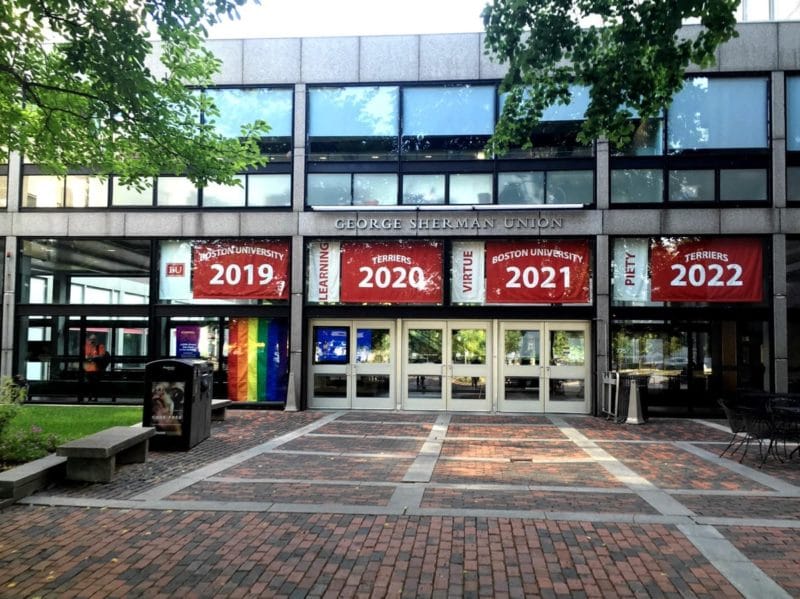
I flew into Boston on Friday and left Saturday evening after the full day of sessions. I did miss a few talks that I wanted to see on Sunday, which is even more disappointing considering the quality of the talks that I saw on Saturday. It was easily one of the best collections of talks I’ve attended at any event over the past few years.
I started the morning off with a train ride from my hotel to Boston University, where the event was held. The transit that I used was pleasant and affordable, and it makes me wish that we had a more robust system in Orlando for public transit. While I know that I should use our bus system before complaining about it, the inconvenience is immense. I’m grateful that I don’t have to rely on it regularly. I have to make the decision to drive 15 minutes or take three buses over the course of 90 minutes (which leave only once per hour) to join my weekly blogging group, and that doesn’t include the mile of walking to get to and from those buses.
I arrived early with the intent on getting coffee and some pre-event work done. I was derailed by the coffee shop that I was going to opening an hour later than expected. I took the opportunity to take a walk through the neighborhood, sitting in a shaded park for a bit to just think and look at animals that we don’t get in Florida. Boston was going through a heat wave, which amounted to a pleasant autumn day in Florida.
Sessions
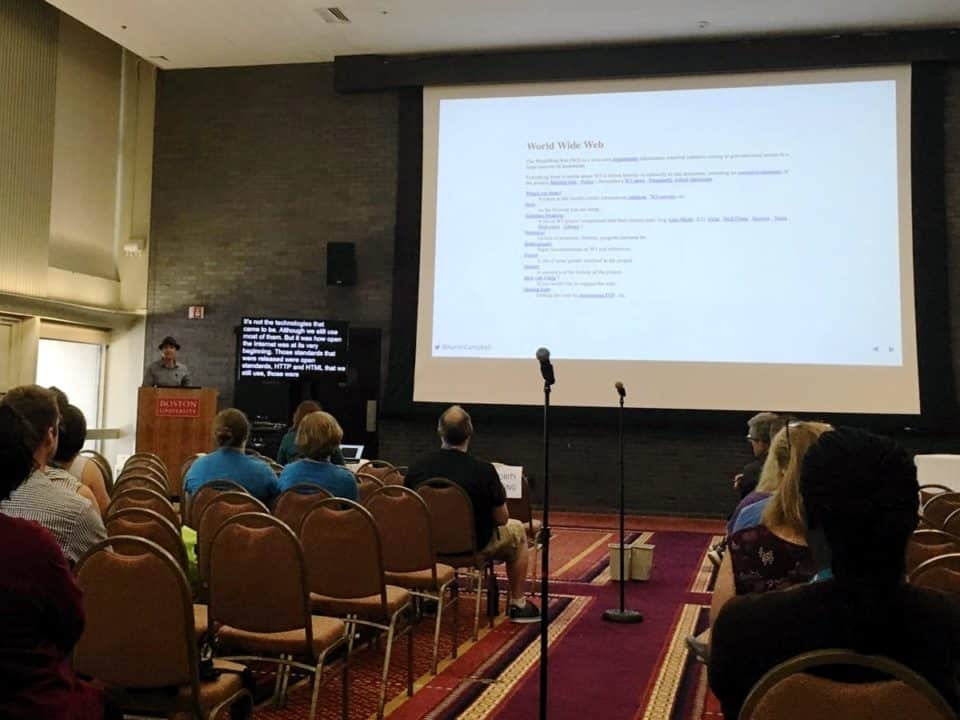
The first session that I attended was “The Future: Why the Open Web Matters”, delivered by Aaron Campbell. Aaron walked us through a bit of history of the web, some of the challenges that it faces, and what we can do about it. Considering that I was delivering a talk about IndieWeb later in the day, I knew I’d want to see what he had to say. After the talk I spent a bit of time chatting with him, where it became clear that even when a problem can be agreed upon, solutions aren’t quite so easy.
Aaron D. Campbell delivering his presentation “The Future: Why the Open Web Matters” at WordCamp Boston 2019
Following that talk, I went to see Kathy Zant deliver her presentation, “The Hacking Mindset: How Beating WordPress Hackers Taught Me to Overcome Obstacles & Innovate”. Kathy shared her experience getting started in security, some common mistakes that people make, and ways to fix them. She made a great point that WordPress is so large that you’re going to be regularly attacked just for using it on your site.
Kathy Zant delivering her presentation “The Hacking Mindset: How Beating WordPress Hackers Taught Me to Overcome Obstacles & Innovate” at WordCamp Boston 2019
I also spent a bit of time at the Happiness Bar helping with website issues, as well as the hallway track of chatting with friends and sponsors. Some of my favorite conversations come from these moments where we have a chance to dig deeper than we do in online conversation. I do sometimes get deep into a conversation and realize that I’m missing a talk that I would otherwise have attended, but the memories and actionable advice that I get during these impromptu chats are just as important.
The final talk of the day stood out to me most. That was “The World-Wide Work”, delivered by Ethan Marcotte. He touched on some of the same topis that Aaron and I did, but focused even more about biases encoded into design, both intentional and unintentional. He similarly bemoaned the darkening of the web, and what he sees as a potential path forward. Ethan was unfortunately cut off near the end as he ran over time, but I would have loved to discuss the points that he brought up at length. Alas, I was unable to stick around for long or attend the trolley tour, as I flew out a few hours later.
Ethan Marcotte delivering his presentation “The World-Wide Work” at WordCamp Boston 2019
My Presenation
Again, I’m thankful for the opportunity to attend so many events, meet new people, share ideas, and receive support for doing so from SiteGround. I try not to swoop into events just for my portions, and prefer to stay and interact for the full duration. It is nice to be able to spend the night in my own bed after giving a talk though.
My slides for my presentation, “WordPress and the IndieWeb: Why You Should Own Your Voice”, are available here: WordPress and the IndieWeb: Why You Should Own Your Voice. I welcome conversation about that here, via Mastodon, or on Twitter.
Let’s work together to make the web a more open, equitable place for everyone!
I’ve been attending WordCamp Atlanta since 2013, and it’s been one of my favorite annual WordCamp events. It is larger than WordCamp Orlando, with an average of 600 attendees to our 350, but it rarely feels large with the sensible layout of the venue and separation of spaces. Everything is in one building across two floors, and all of the rooms are near each other.
The ease of getting around, and the proximity of hundreds of WordPress people without a feeling of claustrophobia makes it an ideal setting for conversations. We call the space between sponsor tables and session rooms the “Hallway Track”, since it can be a valuable session space itself. I can talk with friends that I see a handful of times per year, or find out what other companies in the space are up to.
My Workshop – Building a Plugin
Recently I’ve been having success at events teaching attendees how to build their own plugins and themes. I was under a new constraint this time, of offering my plugin workshop in a 50 minute time-slot as a lecture, where it’s been a two to three hour workshop in the past. Treating it as a lecture meant no hands on, one-on-one help, but it let me present the information at a comfortable speed.
The questions that I got, both immediately following my session and throughout the weekend, indicated that I was able to help some of the attendees. I was told by three separate people that they attended the getting started workshop the day before, and my lecture put that information in place for them in an understandable way.
I’m not always confident when I give presentations, as listening to myself drone on for more than a few minutes feels excessive to me, and I can only imagine what others think. Having thoughtful followups made me feel that I provided value.
WordCamps are a great place to learn more about WordPress, but also to learn about related topics, such as SEO and marketing, running a business, or developing applications. We hold a unique position in tech in that our tool serves users at all ends of the technical spectrum. The lower barrier of entry to starting your first WordPress site coupled with the flexibility and extensibility of the platform makes it an ideal way for people of various skills to interact on a common ground.
I only attended a handful of sessions other than my own, preferring to spend time in the Happiness Bar offering help, as well as the aforementioned conversation time. Here are a few of my highlights:
Getting confirmation from Tom McFarlin, a developer who I greatly respect, that WordPress can serve as an application foundation. I’ve wasted some time that I could have been working on a variety of projects wondering if I’m just trying to fit a peg into a WordPress shaped hole, forgetting that getting something done at all is better than an optimized nothing.
Being reminded by Adam Walker, co-owner of Sideways8, that routines, habits, and processes are key when it comes to managing your work life. I’m impressed with the number of projects that he handles while maintaining a balance that leans favorably toward family and personal life. Sometimes you just need to hear the same message in a new way or for the tenth time before it sinks in. I’m making some changes based on his presentation, which he shared on his site.
Getting some ideas on ways to automate my development workflow from Chris Wiegman, a personal friend and team lead at WP Engine. This is one of the places that I feel that I could improve most when it comes to my processes. Some of the tooling that Chris uses is beyond me currently, but I want to expand my toolset. Chris also shared his slides on his site.
The rest of the event
I got to hang out with lots of WordPress friends and meet a few new people this weekend. I try not to only talk to people that I already know, since that leaves out all of the people who would be good friends if I took the time to get to know them now. I also shared dinner, lunch, coffee breaks, and walks around town with fellow attendees.
The real value of these events for me is the personal connection, where I get to talk one-on-one with someone a step ahead of or behind me in the business and product building process. We’re all learning this as we go, and it’s good to be reminded that no one comes in with all of the knowledge, and no business starts fully-formed.
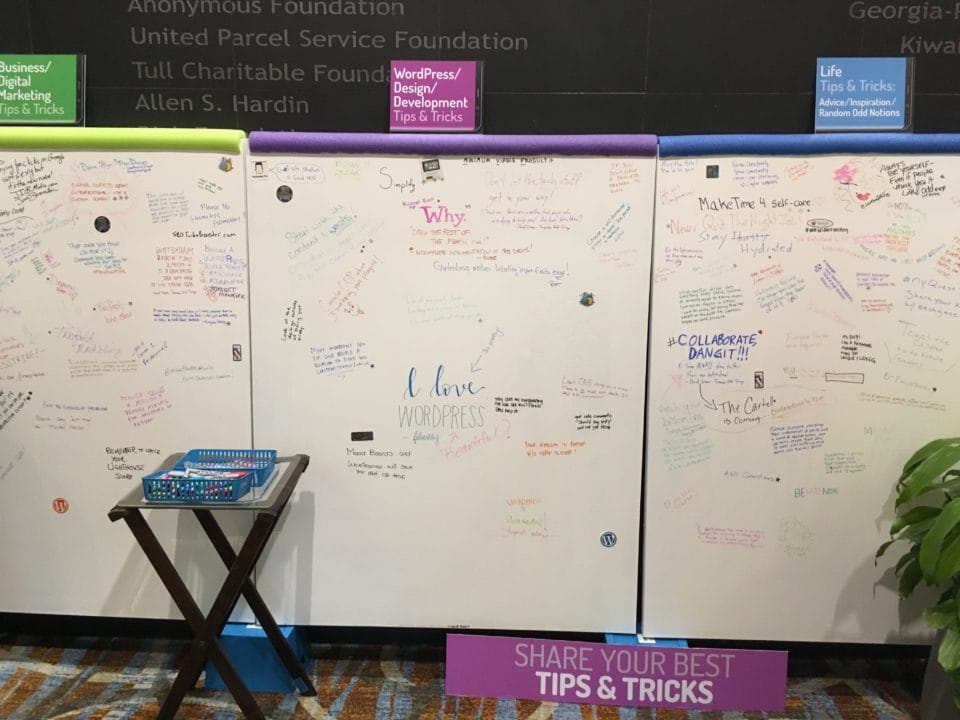
WordCamp Atlanta made these great boards for people to post tips and tricks around business, WordPress, and life. I wish I’d gotten a picture at the end of Sunday!
On the secondary value front, I won an IKEA gift card from the folks at GoDaddy Pro! I don’t usually enter contests at WordCamps, but I’m glad that I entered that one and was still in town during closing remarks. We’ve been talking about getting a new couch at home for a while, and this is the push to make that purchase happen.
A big thanks to SiteGround!
Finally, I want to thank SiteGround yet again for helping to sponsor my trip. I realize that I haven’t yet written a post on the SiteGround Ambassador program, which is something that I’m going to fix now.
I met three members of the SiteGround team that I haven’t yet had the chance to meet, spent some time at their booth, and discussed SiteGround services several times during the event. It’s very easy to do when the conversation comes up from whoever I’m talking to with general interest, and I don’t even feel like I’m giving a sales pitch. That said, I’d do a sales pitch anyway, since I truly enjoy the service and level of support.
The SiteGround team is always a great WordCamp addition!
I also got to chat with Francesca Marano, the WordPress Community Manager at SiteGround. We chat online regularly, but in person opens up new space for the kinds of conversations that don’t regularly come up online. Again, these events are a great way to catch up and form deeper connection with the people who help make this community worth sticking around for.
I greatly enjoyed WordCamp Atlanta 2019, and look forward to another fantastic event in 2020!
Becoming a SiteGround Ambassador, so that I can share my experiences with their hosting (overall very positive), and travel to more conferences. More details forthcoming in a future release.
New features are constantly being added, and original developments refined. The timeline for release this year looks promising. I’ll keep you up to date when further information is available.
Thank you all for making the latest release possible, and for your support through the ups and downs of prior release schedules!
I know that I made a commitment earlier this year to post code tips and resources most weekdays. I kind of indicated it there, but will make more clear that I intend to follow that commitment as best as I can, but know that some weeks I will just plain fall short.
This week and last have been two of those weeks already. I can use the excuse of having other projects that take precedence (I do), or that I’m writing in other places with more pressing deadlines (I am). But I did tell myself, and in that last post, all of you reading, that I would be posting more regularly. This week was also shot, and while I have plenty of half done posts, following through seems to be my issue.
Still, the other part of that commitment was that any progress on that goal was better than standing still. For some reason I find that when I take on larger challenges I end up getting more done than if I reduce the scope of those goals. I’ve heard that people who maintain more commitments are happier and more successful over all than people who don’t keep any. I often feel that I’d be liberated by dropping all commitments and starting fresh, but there’s a reason that I keep lists of “maybe someday” projects always nearby.
I can’t say that I’m more motivated now, or that I’m not concerned that this won’t happen again. I can say that though I’ve got a lot of self-imposed deadlines on my plate, I’m glad to be able to make time for this in the first place.