I know that I made a commitment earlier this year to post code tips and resources most weekdays. I kind of indicated it there, but will make more clear that I intend to follow that commitment as best as I can, but know that some weeks I will just plain fall short.
This week and last have been two of those weeks already. I can use the excuse of having other projects that take precedence (I do), or that I’m writing in other places with more pressing deadlines (I am). But I did tell myself, and in that last post, all of you reading, that I would be posting more regularly. This week was also shot, and while I have plenty of half done posts, following through seems to be my issue.
Still, the other part of that commitment was that any progress on that goal was better than standing still. For some reason I find that when I take on larger challenges I end up getting more done than if I reduce the scope of those goals. I’ve heard that people who maintain more commitments are happier and more successful over all than people who don’t keep any. I often feel that I’d be liberated by dropping all commitments and starting fresh, but there’s a reason that I keep lists of “maybe someday” projects always nearby.
I can’t say that I’m more motivated now, or that I’m not concerned that this won’t happen again. I can say that though I’ve got a lot of self-imposed deadlines on my plate, I’m glad to be able to make time for this in the first place.
Back in May I did a little challenge where I tried publishing a new post every day, without a specific theme. While I barely scraped by in completing the month, I was able to keep a commitment to myself, one which a lot of bloggers try for: some form of consistency.
That went alright, but it also felt like a chore at times. I focused so much on crafting the perfect posts last year that most of them came out far less than that. I also have plenty of posts here that are specifically about posting more, something not uncommon on personal blogs.
A New Goal for 2019
This year I’m going to get a bit more ambitious with my blogging goal. I’m going to focus on sharing more tips and resources.
I usually get to the point of thinking that anything technical or educational should go on a business blog, so that I can start pushing traffic there. While I still want to do that (the FixUpFox blog could certainly use some love this year), I don’t want it to get in the way of actually producing content.
Sharing knowledge has always been one of my favorite activities. Projects may come and go, but the ability to show someone the cool thing that I learned which could potentially save them hours or hundreds of dollars for their sites is always fulfilling.
In that spirit, I intend on sharing a small tip, code snippet, or cool resource on as many weekdays as I can manage this year. My goal is going to be every non-holiday weekday of the year, but even half of that goal would be a tremendous amount of new content on the site.
I’m not sure how well I’ll do, but I know that there’s more than enough content available to share. I’ll try to make the posts as concise as possible, without removing any important context for the tips that I share. I regularly search for how to do things while working, and it can be a challenge to find resources that both have the answer that I need, as well as an explanation on how and why to use it.
Blogging Accountability Group
One thing that I hope will help both myself and others is the blogging accountability group that I’m starting through the WordPress Orlando Meetup.
I’ve setup a page to signup on our site, as well as a channel in our Slack team so that participants can encourage one another, keep each other accountable, and offer advice whenever anyone has a question.
Join us if you want to make yourself blog more like me!
I’ve seen plenty of these types of posts, and can understand the popularity, since I end up comparing everything that I have to the people posting, trying to see where I can improve my travel or everyday carry gear.
Most recently, Matt Mullenweg did his annual “What’s in my Bag” post, and since I was preparing to go to php[World] to give a workshop on WordPress theme development, as well as have my third conversation in a week around Ethics on the Web, I thought I’d document my packing, since I try to be organized for each trip that I take.
Matt and many of the others that document their packing showcase more of the things that they use as heavy travelers, including a heavy focus on quality of goods. While I like things that work and don’t break, I also don’t travel nearly as much and can get by with a bit less overall. My list is a bit less “here are the best headphones that you can get” and more “here’s what I pack for those few times that I use wired headphones”.
Before I start the list, I want to thank SiteGround for helping to sponsor some of my travel as one of their WordPress Ambassadors. I use them for most of my hosting, and if you are interested in giving them a try I can answer questions that you may have. I also have a discount that you can get for discounted WordPress hosting, and full disclosure, it’s an affiliate link as well.
Now that I’m at it, a few of the products linked below go to Amazon, which are also affiliate links. I wouldn’t push anyone to buy things that I don’t use, and as you see below, even necessarily buy anything if what you have already works for you.
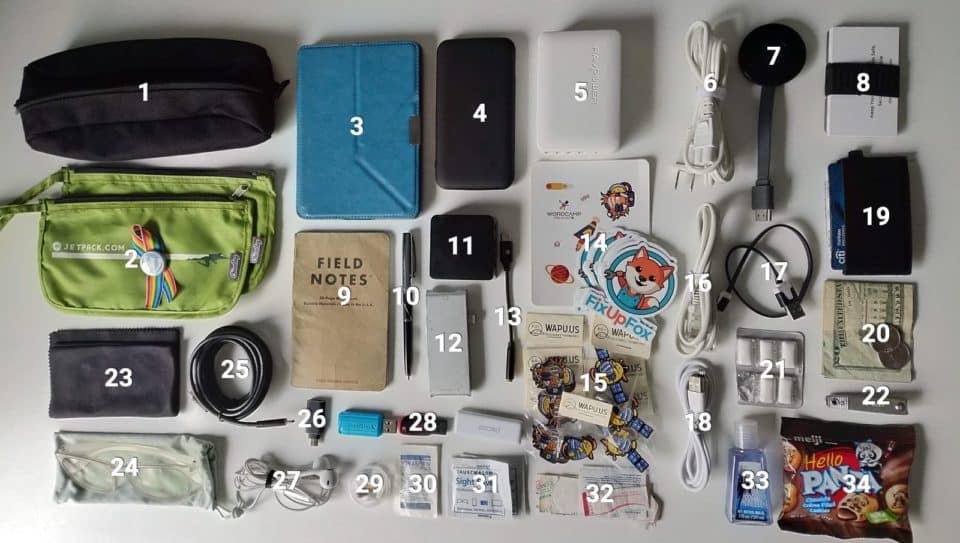
Electronics Bag – I think this originally came with a tent to hold stakes and ropes. Hopefully that tent can still secure itself to the ground without this handy canvas bag that I put electronics in.
Jetpack Bags – These are little nylon bags that I got at some WordCamp or another where Jetpack sponsored and gave these away. Next time they have them I’m grabbing a few more since they’ve been great for holding together little items. My only complaint is that the zipper opens toward the loop, making it easier to open than close them.
Kobo Aura Edition 2 – OverDrive and Pocket sync directly to this e-reader, giving it a leg up over the Kindle for me. I’m trying out a tablet again right now, but this is the majority of my entertainment in down-time while traveling.
USB C Battery Pack – The one that I bought is no longer available on Amazon, but the linked one is cheaper and higher rated, so bonus for you! I am trying to use USB C for all devices where possible now, but this charger has USB A as well. I have a beefier charger that can add even more power to my laptop, but I rarely use it and this is smaller.
USB Hub – Two USB C ports, four USB A, 60W total, 45W USB C meaning it can charge my laptop and all other devices. Saves carrying multiple chargers around.
Cable for USB Hub
Chromecast – For the few hotels/AirBnBs that this actually works it makes it a lot easier to stream videos.
Business Cards – I was gifted this wallet/bottle opener by an Automattician at a WordCamp and I feel bad that I can’t remember the URL to the store.
Field Notes – When buying these small notebooks I go for the Expedition Field Notes, since they are waterproof and tear proof. Enough sponsors give them as conference swag now that I don’t think I’ll have to buy one for quite a while 😄
Fisher Space Pen – I hate having to search for a pen, and having to try to scribble it to life when I find one. One of these stays in my pocket at all times and can always produce a steady flow of ink.
Mini Router – This is a newer addition so I can’t say how great it is or not, but appears to work so far. A tiny, programmable router/repeater that can use ethernet, wifi, or a tethered phone to provide a secure wifi network with OpenVPN on the go. Bonus for regular travelers with multiple devices is that you no longer need to keep entering new networks once you have the network that you setup saved. Can be powered via battery pack.
USB C Hub – Hub to turn USB C port of many modern laptops into a pass through charger, HDMI, USB A, and SD/Micro SD reader.
USB C to 3.5mm headphone jack, since I don’t rely on bluetooth headphones when traveling much.
WordCamp Orlando and FixUpFox stickers because who doesn’t love giving away swag?
Wapuu pins from WordCamp Orlando 2018 thanks to wapu.us also to gift nerdy conference folks.
Ethernet cable for router on the off chance I have access somewhere.
USB A to micro cable
Longer USB A to micro cable
Raw Wallet with ID and credit cards. I prefer minimalist wallets to avoid having to carry too much and fit it in my pocket.
Some cash stored in bag instead of wallet for my paranoia of losing one or the other.
Gum for plane pressure changes and banishing coffee breath.
Nail clippers because I have a bad chewing habit that I’m trying to break.
Microfiber cleaning cloth – The cloth that comes with a Macbook has been the best to get smudges off of devices and my glasses. I ended up buying a pack of similar ones since the freebies just end up smearing it around.
Spare glasses from Eye Buy Direct. These have a blue-screen coating for us screen starers, though they’re a little tight on my temples. The non-coated pair that I wear daily I paid around $7 for, including shipping, and I think they look nice. Never going to get caught up in another store selling plastic frames for hundreds of dollars then not honoring their warranty when they break.
Headphones that came with some iDevice or another, so they can skip and pause songs on my Android phone but not control volume. I haven’t found an Android specific pair cheap enough to offset the handful of times I ever use these.
USB flash drives, including a USB A/C combo drive with some dev tools preloaded for when I give WordPress workshops and someone doesn’t have a development environment setup yet.
Whatever meds I’m currently taking in a little pill pack plus aspirin since I’m supposed to not be taking #30.
Some ibuprofen that is basically for others since I’m trying to stop taking any.
When the microfiber cloth isn’t enough, these wet wipes clean screens and lenses well.
A few bandages for my clumsy self.
Hand sanitizer that has way too strong of a scent but is tiny.
A snack because I am pretty much always snacking 🍫
Two things matter to me with what I pack: portability, and price. I agree that it’s worth it to buy quality, but I also think that the amount that I use some of these things makes it irresponsible for me to spend more to get the absolute best. If you remove the Kobo and cash from the above picture, I’m estimating under $200 for everything else, most of it getting use outside of travel too and purchased over time. I don’t want anyone overspending trying to put together the perfect travel gear, especially if you travel as often or less than I do, which is generally 6-10 times per year.
All of the above looks like a lot, but condenses pretty well into the electronics bag and the two Jetpack bags, minus the glasses and Kobo which I keep out. One of the Jetpack bags goes in the front pocket of my backpack with things like my wallet, notebook and pen, headphones, pills, and snack for easy access during travel. The rest goes into the main compartment with the electronics and clothing.
I listened to an episode of the WPMRR podcast yesterday where the hosts mentioned that dressing up for a WordCamp or developer conference if you don’t normally would make you stand out in not a good way. Thankfully those are what I travel to most, since t-shirt and jeans is my comfort zone.
I generally pack for the number of days that I intend on traveling plus one. Since the trip that this was for was three days, that means that I packed four t-shirts, four pairs of underwear, and four pairs of socks (#2, #5, #6). I also knew that it would be cold, so I packed a heavier hoodie that I got from the Nintendo World store (#1), as well as a lighter SiteGround one (#4). Finally for clothing I brought a pair of comfortable shorts for lounging in the hotel room (#3).
Rounding out my bag are the items from the above list (#9, #11, #12, #13), an unnecessarily large bag of toiletries that I’ve since pared down (#10), my laptop and a sleeve since I’m giving a workshop (#7), and a SiteGround backpack that was ordered by someone who clearly travels a lot with a carry-on and wanted something useful, including compression straps, zipper covers, a padded back, and chest and waist straps.
I’ve been trying to travel without my laptop on trips where I am not doing workshops or code demonstrations to take a bit of time off of staring at the screen all day. I’ve begun to learn that it’s OK to let clients know if I’m out, and schedule around trips.
Admittedly, the bag is fairly full, thanks to the larger hoodie that I had to pack, but I can often leave that at home. All of the above totaled about 14.4 pounds, but the laptop and thick hoodie take up about 4.8 pounds, which means I could generally travel carrying a bag of 10 pounds or less.
I’m heading to WordCamp US next week in Nashville, and will be gone for a similar length of time. I’ll still have to pack the big hoodie, but may leave the laptop at home, since it’s doubtful I’ll even open it much with the schedule as packed as it is.
When I come back from a trip I notice how much of what I packed doesn’t get used at all. For this trip, as an example, I used maybe 60% of what I brought. Of course plenty of those things are of the “just in case” variety, but I am always finding things that don’t really get used and can be dropped or picked up where I travel if really needed.
So that’s my long post about what I pack for travel. What about you? Share a link to what you keep in your bag, whether for travel or every day use!
I wrote recently about using Boostnote, and why I’ve chosen that over other apps for the time being. It is not perfect though, and I’ve been thinking through all of the things that a perfect writing and reading app would have for me.
There are a few things that I’d love to have, and while I’m sure that I didn’t list them all below, I’ve been considering what I’d like to see.
General Features
These are the must haves for a note taking app for me:
Markdown
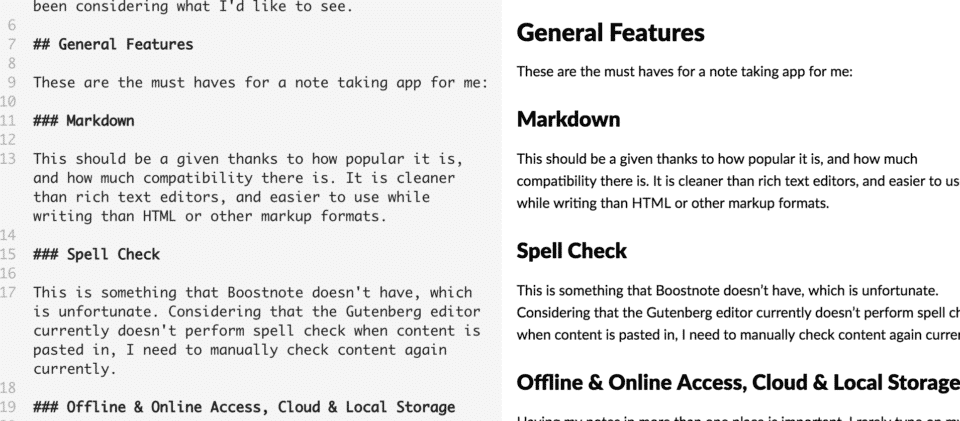
This should be a given thanks to how popular it is, and how much compatibility there is. It is cleaner than rich text editors, and easier to use while writing than HTML or other markup formats.
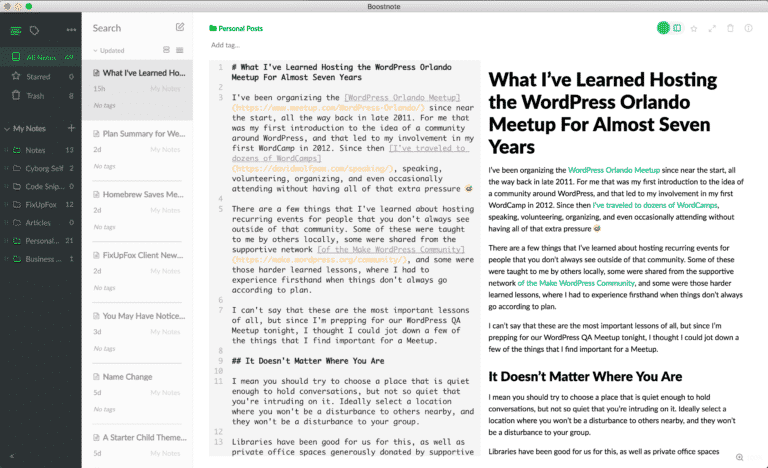
Boostnote offers a side-by-side view for Markdown
Spell Check
This is something that Boostnote doesn’t have, which is unfortunate. Considering that the Gutenberg editor currently doesn’t perform spell check when content is pasted in, I need to manually check content again currently.
Offline & Online Access, Cloud & Local Storage
Having my notes in more than one place is important. I rarely type on my phone but I often consult on it. That also means that I want to be able to work on my computer, but also get to those files elsewhere. Cloud storage will handle the portability, while maintaining local copies, which some apps don’t do, will allow functions to work quicker and be accessible when the internet itself aint.
General File Type Support
As many file types as possible! Of course files that contain text and code, but also images, non-text PDFs, and more. Anything consumable that does not need to be executed separately, preferably.
Outlining and File Linking
I am trying to get better about outlining work before I start. Even if that means creating a series of headings and subheadings that I can fill out later, I’ve got some sort of framework for what I’m writing. Some tools have this built in as a feature.
File linking would also come into play here, where I could indicate that another stored file relates to this file. Evernote Premium has their suggestion feature, where it finds notes that it thinks are related, but I want to specifically indicate that I want to see a certain file related in a certain place. Boostnote has this covered, and I can even share links to specific notes across my machine.
Bonus: External Content Features
My ideal note app would also be able to handle external content as a reader and storage container. One reason for this would be to have a storehouse of research to use while I’m writing. This is probably the hardest thing to find in the same app, but if it exists, here’s what I’d want:
Permanent Archiving
This is something that Pocket Premium gets me, but not by default with most “save for later” style reading services. Basically, after the content has been stripped out of whatever page it was pulled from, a local copy would be saved. This ensures that it’s available even after link-rot or total removal from the web.
Automated Tagging, Folders, & Full Text Search
I don’t like to spend a lot of time sorting my notes. I do like to sort notes into folders, but that’s mainly because it’s a shorthand mental model and way to filter to view specific categories. Pocket Premium will suggest tags, but I want something that can just handle adding those tags from the start. Additionally, some form of index that allows timely full text search would be very useful.
Search of Documents and PDFs / OCR
Optical Character Recognition was one of those nice bonuses that Evernote Premium offers. I could use a scanner to save paper documents that I might need one day but might not, and have them uploaded and taking advantage of that cloud storage. This feature has already been useful for me in the past, and something that I’d love to keep.
Searching for my name pulls up scanned images of docs with it. On the desktop app it even highlights exactly where it is!
Annotation of Documents and Other Files
Another feature that I’ve seen used heavily in Evernote, but that I don’t personally use, is annotation. You can save images or files to Evernote, make marks over them, and share those files directly with others. When using a screenshot of a site to note an issue with it, this makes communication a lot more clear.
Integration with Other Apps
Since I’m writing a wishlist here, I’ll add that I want to be able to integrate with other apps. Let me use Spotlight and Alfred to search for notes and open the app to that specific note. Let me share them across a variety of cloud services. Let me authenticate with Github and share a note as a gist (and pull gists in as notes).
Why am I writing all of this?
This is mainly a wishlist of what I would like in an ideal note and reader combo app. I’m getting to the point where I’m wondering if it’s worth the effort to try to create my own. In my Boostnote post I mentioned how many other apps that I found that do similar things. I think that there might be an overabundance of this type of app, but I also acknowledge that both writing and reading apps can be highly personal due to how they are used for creation and consumption. It only makes sense that when you can’t find what you want you’d yearn to make your own.
Is there a magical note editor that has most of the features that I want that I haven’t seen yet? Got any suggestions for me, or other features you think are important?
I’ve been paying a lot more attention to the IndieWeb space this year, with the intention of revamping my lifelogging site to both include more services that I still use (and remove the fitness tracking that I decided to stop), as well as become a repository for webmentions.
I started using webmentions on this site, and have been working to integrate the social accounts that I still use together and create a new template more geared toward sharing and displaying information in a canonical area. My need to control and own my data and information is coming around to the point that I’m finding a whole community of people who do the same with their websites.
The issue with a new community is the amount of work that can go into it. I’ve been listening to podcasts, reading articles and W3C specs, and watching git repos and discussion channels. I’m getting close to overwhelming myself with the amount of information that I’m consuming in pursuit of leveling up my knowledge before attempting to make any sort of a presence.
I don’t really have any reason to do this. When I started with the WordPress community I was just some guy who’d been using it for a few years and had never met anyone else just to talk websites. That slowly grew into whatever this is that I do now. I should take a similar approach with a new community, but instead I’m getting too inside my own head.
So my goal now is to start participating, even just to say hey to that existing community of IndieWeb aficionados. I’ve got lots of projects that I want to work on, more than I have time for, but in the meantime maybe there’s something that I know how to do that I can help someone else there with.
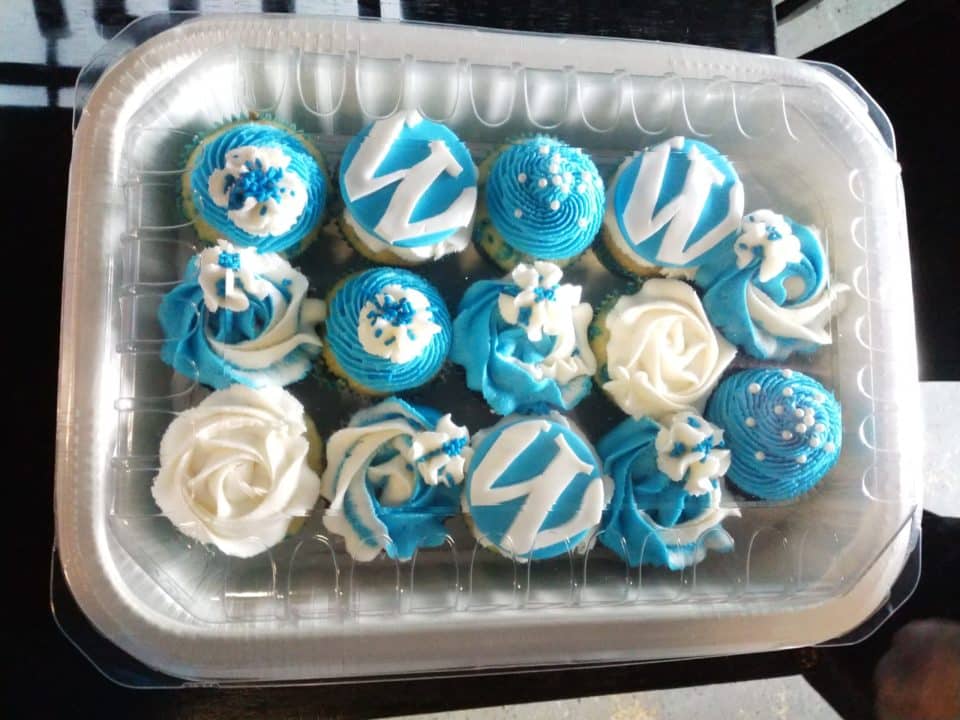
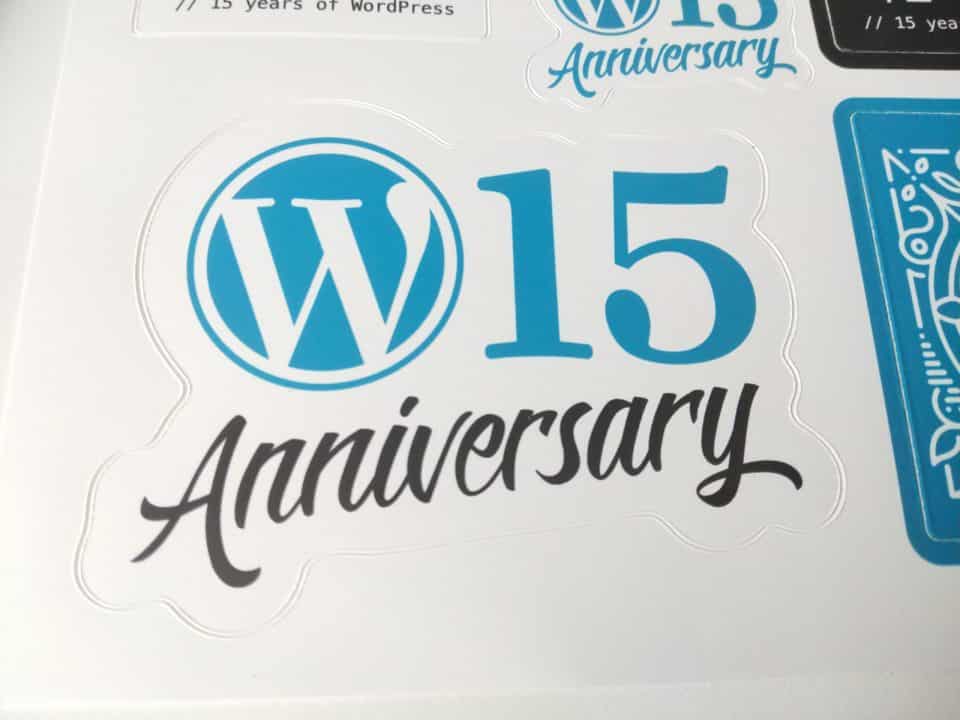
Tonight we hosted our WordPress 15th Anniversary party at Geek Easy. Yesterday I talked about my introduction to WordPress, but today we just hung out.
For the rest of the day I worked on some IndieAuth integration setup, and some prep work for a new theme.
Then I realized that I didn’t blog today, and at the very least I’ve gotta get this up. Four straight weeks, can’t stop now!
As WordPress swiftly moves towards its next iteration, with the Gutenberg editor part of core, I want to look back a bit on my time with WordPress.
I had been a professional web developer for several years before I discovered WordPress. My Javascript skills weren’t (and I’d say still aren’t) that great, but PHP was something that I used day to day at work. I think that I came into WordPress a lot differently than many other self taught developers that I know in that regard.
My Introduction to WordPress
I was working for a company doing rote data entry in early 2008, while building small sites for clients on the side. I had seen a basic CMS before, having used CushyCMS as directed by some past clients. The concept of storing content separate of the template files wasn’t pressing though, and I was still working in individual HTML and PHP files using Dreamweaver.
While looking around at some options I stumbled upon WordPress, though I honestly can’t say that I remember where or how I was introduced to it. I do know that I was tasked with helping the company that I worked for build a new website for themselves. This would be my introduction to WordPress, as well as my introduction to doing jobs well above my pay grade for close to minimum wage. That part certainly hasn’t changed for a lot of agencies around Orlando.
Before building the company site I decided to test out this software that was still known primarily for blogging. At the time that I started, version 2.5 or one of its maintenance releases would have been the newest version of WordPress, well before version 3.0 where WordPress Multisite, custom menus, custom post types, and custom taxonomies were part of WordPress core. At that time it definitely still fit the blog category more readily without those features.
So I started a blog. I was a collector and trader of classic video games and memorabilia, and I enjoyed playing old NES games. At the time I was attempting to slowly build a collection of all official (and some unofficial) NES cartridges, barring the few that were several thousand dollars. That was approximately 679 US released games, with a few dozen more foreign exclusives. I made it to about 200 games before I got rid of the collection a year later, which is another story in itself. I didn’t finish that project.
But I did finish the blog. It’s offline now, which is just as well since I didn’t realize at the time that my chosen domain misused the Nintendo copyright, and they were getting into their litigious phase with fans. I would blog about some of the games that I was playing and give them reviews. Not nearly as fancy as the people who do this on YouTube for a living, but it was fun.
My Next Steps
After starting that blog and working on the company site I was hooked on WordPress. I left the company for a job that was actually about web development before the site was complete, but the actual developer at the old company did eventually finish it and put it up.
I spent the next few years at two companies doing WordPress development, which was becoming higher in demand. Those new features appeared, and made it even easier to create sites for businesses and marketing efforts, which really did democratize the web for a lot of people.
I visited the wordpress.org support forums a few times in this period, but don’t think that I ever posted, just read. That’s also a habit that I keep to this day with most sites: I lurk around for years before I sign up, if ever.
Even having seen those forums it didn’t really click for me that there were people behind WordPress. Software was still this far away thing for me where someone made it and I consumed it. If I had a problem that I couldn’t solve, I chose new software or did without.
It was only when I was into that second job that I met another developer who was part of a local technical community and I saw that people actually met up to discuss and build things for the web.
Having Matt Mullenweg stop by your Meetup is ????????????
My Introduction to the Community
In late 2011 the WordPress Orlando Meetup was started, and I made sure to make it to the very first meeting. I didn’t know anyone there at the time, but for a new event around a piece of software, there were a lot of people that showed up. I met a few people at that first meeting who are still involved with the group to this day.
I spoke with some folks there and mentioned that I build WordPress sites for a living, something that only a few other people there seemed to do, as most were users of the tool for their own businesses. I quickly got involved with giving presentations on things around WordPress, and was helping set up some events and speakers right away. I became a co-organizer quickly, and within two years was the only remaining organizer, making me the de facto lead when we got pulled into the WordPress Foundation.
Fast forward nearly seven years and we put on multiple events each month with a group of about ten organizers. We also restarted the defunct WordCamp Orlando in late 2012, and I’ve been involved in a variety of roles with a slightly larger group of organizers ever since.
In between I have attended several dozen WordCamps, speaking at a good portion of them, and making lots of friends along the way. At this point the majority of my social life revolves around the community, which has helped to give me so much that it only makes sense to keep giving back.
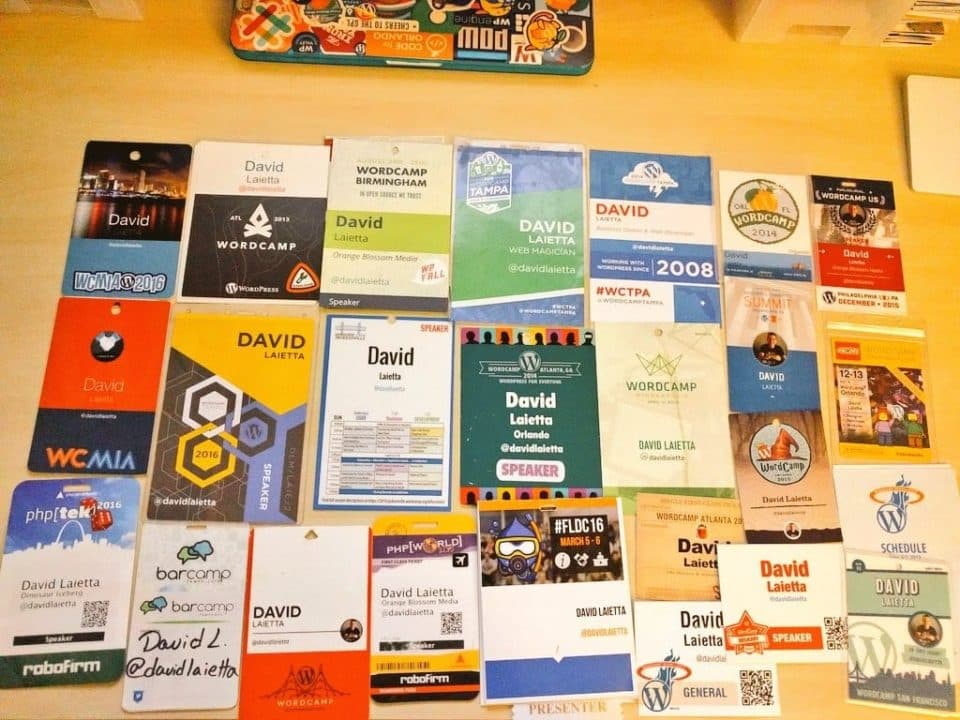
A few of the WordCamp and web conference badges that I’ve collected through the years.
15 Years and Onward!
I’m happy to be included in a group of some of the smartest, kindest, and most helpful people that I could hope for. It’s not always the easiest when there is so much coordination and a lot of personalities to keep together, but it’s been worth it for me. It is not an exaggeration to say that discovering WordPress changed the course of my life.
WordPress is one of the rare open source software releases that is still actively developed 15 years after initial release, especially at such a regular pace. The community is thriving, and I hope to see Gutenberg and other future thinking tools continue to improve WordPress for a long time.
I’ve been considering ways that I can up the design of my site, now that I’m back to blogging a bit. I’m not much of a designer myself, and while I appreciate a good minimal layout, somehow it’s harder to pull off something that looks good with fewer elements on the page.
When I’m working with clients we normally have someone come in specifically to handle design. I have played around with wireframing apps before, and can sometimes sketch out basic ideas, but I admit to being clueless when it comes to anything between basic ideation and coding it up.
Usually I end up looking at other sites for inspiration, like Awwwards blog sites. I can see what people who review sites every day view as good designs, and try to get an idea of what makes them stand above the rest. I then try to remove the things that I consider too gimmicky, like some of the scroll driven sites that move content around. I always get the feeling that people scroll for the animations more than they care about any of the content on the site.
This is an issue that plagues me with my business sites too. I know that there are things that I could do with design to help improve the UX, but I don’t really have the skillset. I should find ways to improve on this, without taking too much time away from the technical learning that is constantly growing before me.
People like Steve Schoger make the process of refactoring UI look like wizardry. I don’t intend on working up to that level of mastery, but having someone walk through the process is a huge help for clarifying their thinking.
Seriously, check out his videos if you are interested in UI
Do you have any tips for how you work out new site designs? What about any layout decisions?
Through the past two weeks, the combination of swapping over email addresses and GDPR have given me a ton of reminders of the random places that have my email addresses, including services that I used once years ago and services that I don’t want to use anymore.
No Bandsintown, you’re not being clever, even if I have to email you to delete an account. I’m stubborn enough to take that effort.
But I’ve also gotten plenty of newsletters that I do enjoy. The ones that keep me in the loop on topics that I’m interested in. The ones that give me an overview of the day’s news. The ones that entertain with lighter fare.
For a year I ran a now-defunct newsletter called This Week in Web. Each Friday I would share some of the news stories related to privacy, technology, security, and random occurrences around the web. I would attempt to put variety in sources, and give a short impression of whatever I was sharing to give my opinion as well as make it easier to determine whether to read the full article or not.
That said, newsletters have been making a comeback. Email is still the killer app when it comes to reaching people most broadly, and if you’re like me, a lot of your consumption comes to your inbox as opposed to a notification feed.
While I’m on day 25 of my month-long challenge of daily blogging, I haven’t yet restarted a newsletter. I worry that it won’t be focused enough to attract regular interest, or that I will make it too focused for most people.
I don’t know which of those two options is the better outcome in my case, and I’m regularly concerned that by placing a newsletter on my personal site I will be tying subscribers to myself as opposed to a brand or business that could grow beyond myself.
But that’s probably thinking too far ahead. Instead why don’t I do the same thing that I’ve done with the blog: write about whatever it is that is interesting to me that day, and try to gauge where reader interest leads the content.
To that end I’m opening up subscriptions for a new newsletter. I’ll put out the first email next week, and I’ll start with a commitment to sending once per week. What that newsletter will have is yet to be seen, but I want to shake up the layouts that I’d used in the past.
Sign up below if you want to keep up with whatever random things I’m doing or thinking about, and get some links to cool things, gifs that I’m liking, or I guess links to my posts if you really want those.
Subscribe to the 🐺🐾 Newsletter
"*" indicates required fields
If you do subscribe, I want to treat it like a two way communication street. Email me back with stuff that you’ve seen recently that you liked!
I mentioned in the past that I run my own mastodon instance. You can find it at tech.lgbt, where I’m ostensibly creating a community for LGBTQIA+ folks who are interested in technology.
I chose to wait until this morning to update Mastodon to v2.4.0 on the server that I host this instance at, thinking that I would be able to complete it in a half hour at most based on some of the last few updates.
What followed was a multi-hour ordeal; something that took up far more of my non-work time than I would care to admit. At the end of the day it turns out that I had missed running one command early on in the upgrade process that led to a cascade of failures later on.
My general ineptitude with Ruby, bundlers, and Docker were my downfall, in which I wasn’t sure of the commands that I should run to diagnose issues, and I wasn’t sure where the errors that I received should leave me, beyond the suggestions in the terminal that were trying to save me from myself.
With a break, far more patience (or foolhardiness) than I expected to have, and plenty of help from Chris Wiegman, I ended up finding the source of my woes and updated the server and software properly.
Recounting this is partly an excuse for writing something so short so late, but it’s also a reminder of something that I said earlier in the month: despite the additional tools, libraries, tutorials, and packages, the difficulty level of becoming a web developer is Growing.
I can’t rightly assume what things that I do every day should be a standard for building on the web, considering how trivial some of the problems that I grapple with must seem to others. I’m glad to always have something new to learn, but at times it can be quite exhausting.
I’ve used a lot of note taking apps over the years. I like to keep my notes available on multiple devices, and ensure that they are backed up in multiple places so that I don’t lose them. I try to type everything that I post on any of my websites in a separate program first, and to copy and manage them when I’m ready to post.
One of the problems that I’ve found with most apps on the market is that they are made only for Mac and Apple products. While I use a Mac as my main computer, I use Android for phone, and I can’t guarantee that I’ll always stick with this platform. Note taking apps like Bear and Ulysses look nice, but I’m hesitant to buy an app that isn’t future proofed a bit knowing how fickle I am with technology.
Evernote used to be my main solution for this, but the price increase, controversial privacy policy updates, and inability to support some of the features that I want natively have ruled it out as my day to day note app.
Honestly though, it’s still top of my list for all but a few features. I greatly enjoyed the OCR feature, which allowed me to scan and save lots of old useful documents and to be able to search them when needed. Being able to pull up an invoice from a few months prior while talking to an unhelpful mechanic was an opportunity for me to realize how useful it would be to have all of my documents available to search and display at any time. Eventually I want to set something up with a document scanner and a tool like Paperless, but right now that requires more setup and management than I want to put into it right now.
Markdown is the main reason that I stopped regularly using Evernote. I could survive without it as it’s not a requirement for me, but the high support across a variety of platforms, including WordPress where I post most of my content, makes it useful. Evernote doesn’t work with code snippets, and while there are alternative Evernote clients like Alternote and Marxico, I still need to set them up through Evernote, and they’re not always well supported. Plus, I lose the ability to use them on my phone.
While hunting around a few months ago, I found Boostnote, an open source, markdown driven note taking app that promises to “Boost Happiness, Productivity, and Creativity”.
I currently use Boostnote to write all of my posts for this site
Cool Features
The cloud syncing is useful, but the mobile app only has preference for Dropbox for now. Basically since you can set where your notes are saved, selecting a folder in a synced service lets you keep them backed up safely.
You can also choose keyboard shortcuts based on vim or emacs if you are used to using either of those command line editors.
Importing text and markdown files is as easy as dragging them into the app. You can even import from Evernote with ever2boost, though it’s a command line tool that requires a bit of setup. Notes can be printed to PDFs if you want to share them in that format. They can also be exported as text, markdown, or HTML files.
Speaking of HTML, there is a setting to control the level of sanitization for HTML, which is nice to keep from accidentally breaking documents with pasted code or content.
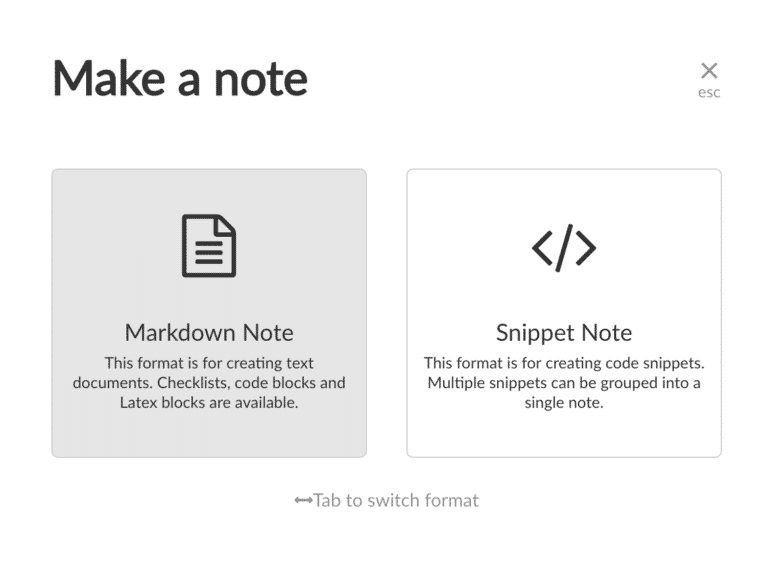
The main plus for me is the code snippet feature. I can create shareable code snippets in their own files with a high level of syntax highlighting support. I can also toss bits of code into normal markdown notes, which will translate to display properly when I paste into WordPress. Considering how often I like to do that, it’s probably the first feature that is missing from Evernote that I’d want to start using that again.
Drawbacks
The app is not perfect. Like every note app, there are features that another app has that I wish that it had, and there are features that it has that if I could transport into another app I might start using that one.
An example is storage methods on the mobile app. Since you can set up a folder in a cloud sync service to allow you to access the same notes on mobile, I’d like to be able to set that as my default and have it cache data, so that I don’t need to reload all notes every time I want to use it on mobile, or not accidentally forget to switch and have it stored in mobile only.
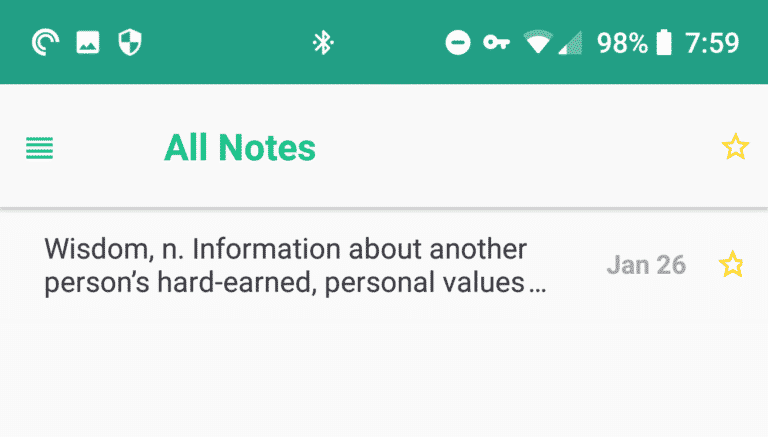
Whenever I open the mobile app I’m greeted with a sad, empty screen.
There is no spellcheck in Boostnote. Coupled with a bug that currently exists in Gutenberg where spellcheck does not run on pasted content, I have to manually move through all of my content to ensure that it is not misspelled.
One thing that Evernote and Marxico have are the ability to work via a web interface. This would necessarily be more difficult in a self-hosted app like Boostnote, but it’d be a nice feature for someone wanting to manage a secure hosted environment, so I could access and edit notes on devices that I don’t have synced with my data.
There are some quirks to Boostnote that I’m hoping will get updated soon, like the ability to use keyboard shortcuts to jump to the beginning of the line that you are typing on as opposed to the start of the row. I can’t say I would have a workaround for this without line breaks or carriage returns, but I can hold out hope. When you copy a link into Boostnote it grabs the meta title for that link and creates markdown for you, but then it doesn’t update the cursor position.
I will again point out that this is an open source project, and I am lucky to get so much for free already. I just like the idea that I could submit issues on Github and potentially have someone who knows more about this than I do work up a solution.
Where I’m Ending Up
The thing is, there are so many different note taking apps. In addition to the ones that I mentioned above, here’s just a quick sampling that I found while writing this:
If Evernote handled code better, I’d probably pay to switch back. If Marxico had desktop (and preferably mobile as well) apps, likewise. Right now Boostnote isn’t perfect, but it’s the place that I get most of my writing done.
I’m going to check out some of the new apps that I found while writing this post. Do you have a note taking app that you swear by? What features should I be looking for?
I’ve been organizing the WordPress Orlando Meetup since near the start, all the way back in late 2011. For me that was my first introduction to the idea of a community around WordPress, and that led to my involvement in my first WordCamp in 2012. Since then I’ve traveled to dozens of WordCamps, speaking, volunteering, organizing, and even occasionally attending without having all of that extra pressure ????
Having Matt Mullenweg stop by your Meetup is ????????????
There are a few things that I’ve learned about hosting recurring events for people that you don’t always see outside of that community. Some of these were taught to me by others locally, some were shared from the supportive network of the Make WordPress Community, and some were those harder learned lessons, where I had to experience firsthand when things don’t always go according to plan.
I can’t say that these are the most important lessons of all, but since I’m prepping for our WordPress QA Meetup tonight, I thought I could jot down a few of the things that I find important for a Meetup.
It Doesn’t Matter Where You Are
I mean you should try to choose a place that is quiet enough to hold conversations, but not so quiet that you’re intruding on it. Ideally select a location where you won’t be a disturbance to others nearby, and they won’t be a disturbance to your group.
Libraries have been good for us for this, as well as private office spaces generously donated by supportive businesses. These are places that you can generally have a multi-hour meeting without disturbing anyone else, and if you look hard enough you can find people willing to give you space for free. We generally choose companies that are in the web and marketing space, since they would have a natural overlap with our group.
Coffeeshops and other public venues can also be used if they fit what you’re looking to do. We host a monthly coffee Meetup at a local coffeeshop near my house. I chose that location because they make the best coffee around Orlando, they are locally owned and get a business boost by us being there, and they have faster internet than I have at home. The casual environment is a good setup for our conversational Meetups, where we naturally form small groups to chat, help each other with websites, and meet new people.
Hands-on Workshops are a huge hit for our group.
It Doesn’t Matter What You Do
Again, have some guidelines, and certainly let people know in advance what you want to do at the Meetup so they can determine if it’s good for them to attend. You can do a variety of Meetup styles, and they don’t all have to be lectures or be the same from event to event.
We’ve hosted events that are standard lectures, deep dives on one topic, several short talks with a general theme, QA sessions, hands-on workshops, and the aforementioned coffee chats. We even hosts parties and social events, like the WordPress 15th Anniversary Party that we’re holding next week.
A group you’d love to party with
I’ve found that having different topics each month, as well as giving an idea of the level of familiarity that you should have with that topic before attending helps.
We’ve had people mention that they thought the group would be too technical for them, so we do our best to make everyone feel welcome. Indeed, our makeup of events skews heavily toward business owners and bloggers, the people that make up the largest portion of the WordPress user base by far. It’s our job and my pleasure to make sure they get something valuable out of attending an event.
It Doesn’t Matter How Many People Attend
Orlando is lucky to be situated to have one of the largest WordPress Meetups in the world. We’ve got a passionate base of attendees that show up to most events, and a healthy cycling of new members each month.
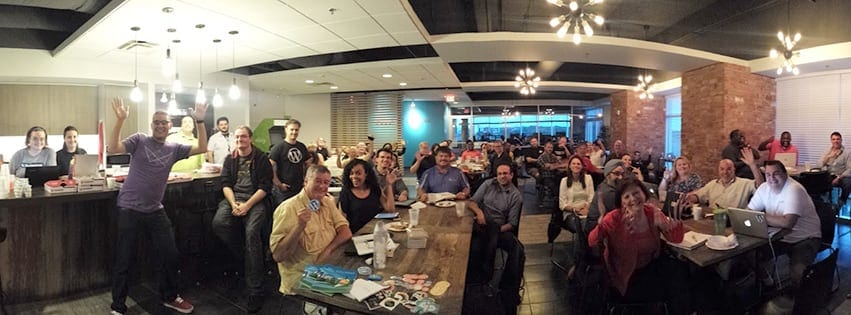
Though a crowd is always nice when you’ve got a stage!
That said, we’ve noticed attendance dipping. Not always that we have fewer people attend, although that’s sometimes the case, but that we have higher RSVPs and a higher number of no-shows. Sometimes this can be upsetting when I provide food for the Meetup that goes uneaten, but it’s worst when we’re in a venue that we have to limit RSVPs and I know that there are people who didn’t make it because someone took a seat and didn’t show up.
We’ve hosted individual events that had a handful of attendees all the way up to 100+ people who are passionate about WordPress. The size of the event doesn’t matter as long as some time can be made to let everyone know what they can do, who is welcome, and that whatever reason they chose to come will be heard.
Sometimes those smaller Meetups can be even more fun, since they take less planning and can have more intimate conversations. I get to learn a lot from a wide group of people who know lots about something that I know nothing about, and they can hopefully learn something about WordPress from me.
General Notes
Just a few things that didn’t fit into the above sections:
Maintaining some sort of online presence is useful to keep people connected outside of events. Our website, Facebook group, Youtube, and Slack team, are resources for all members with notes from our previous Meetups and new discussion.
Having some way to remind people how they can reach you is important. We have a banner that we bring to each event, so that someone can snap a picture of it to remind themselves of our URLs later. I shortened them with redirects from our main website to make them even easier to type in.
Having a Code of Conduct is super important. We haven’t had too many issues where we had to enforce ours, but they’ve happened. Having some sort of guiding document is a good start to ensure discussions flow around inappropriate behavior.
Having a few organizers helps to stop burnout. Each event involves booking a venue, setting dates, getting refreshments, arranging speakers, and ensuring all of the little things around those go off without a hitch, like say ensuring the venue isn’t locked (happened multiple times), that people have the right date and address (same), and that speakers aren’t stuck without the right laptop adapter (yup)
Have fun with it! This is a volunteer group with all volunteer driven events. I try not to let it consume all of my time, and try not to go overboard on fancy venues and food when it’s coming out of pocket. Survey after survey have shown us that people come for the content and community, and that everything else is secondary.
If you want to start a Meetup in your area or get involved in an existing one, do it! It doesn’t have to take a lot of time and energy to get started, and the Make WordPress Community can provide additional resources, including funding for venues.





![php[architect]](https://pbs.twimg.com/profile_images/3506410963/3451e83c5c603ad57cf7c692c630c060.png)